
Key Takeaways
- SEO, AEO, and GEO are not three careers. AEO and GEO are a part of SEO, and Google’s own guide says the same, so you learn them as one skill in six stages.
- You don’t need a certificate to start. You need one website you’re allowed to break, Search Console, GA4, and 100 real keywords.
- In 2026, the proof is no longer “I ranked #1.” It is “the brand got visible, got cited, and got customers.” Learn to show all three.
- The brands AI tools recommend are the ones mentioned on other websites, not only the ones with backlinks. Build that from day one.
- Your first client comes from your first documented result, not from a course. So document everything, from the first audit to the first lead.
Want to Learn SEO in 2026? Here's the Exact Roadmap I'd Follow if I Were Starting Today
Last week, Ross Simmonds posted a 28-point mini-course on SEO, AEO, and GEO on X, and ended it with “P.S. It’s really that simple.”
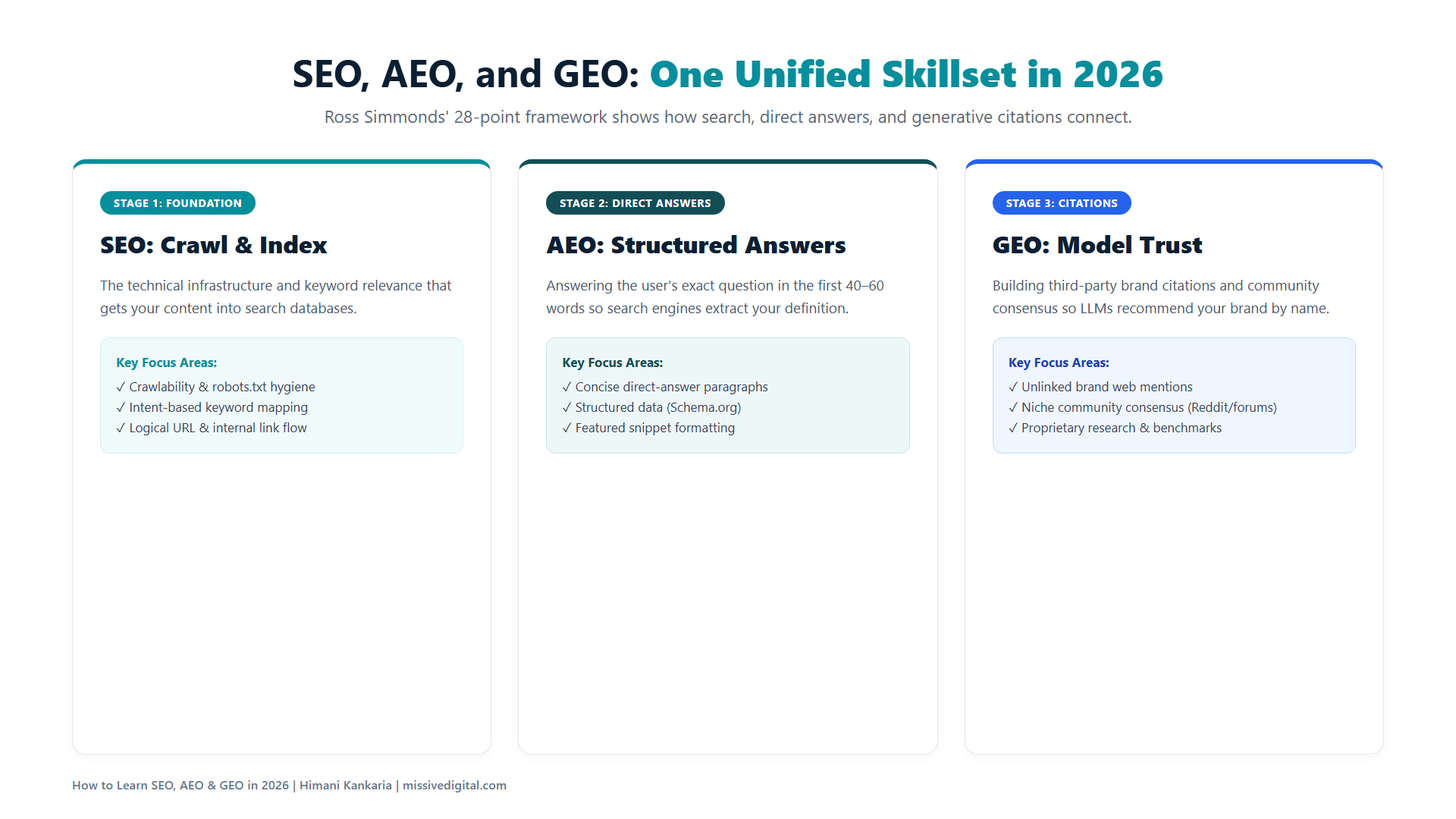
I read it twice. Because it’s the same order I’d follow if I were starting today, and it maps almost one-to-one to what I covered in my January webinar on SEO in the Age of AI: the fundamentals that don’t change, and the AI layer that sits on top of them.
But a list tells you WHAT to do. It doesn’t tell you WHY each step sits where it does, or what has changed around it this year. And a lot has changed. AI Overviews, AI Mode, ChatGPT, and Perplexity are now where a big part of the search journey happens, and the demand for AEO and GEO work from the brands we talk to has grown faster than anything since mobile-first.
Here’s the part most learners get wrong, though. AEO and GEO are a part of SEO, not something you learn after it. Google says the same in its guide to optimizing for generative AI features: optimizing for AI search is optimizing for the search experience, and that is still SEO.
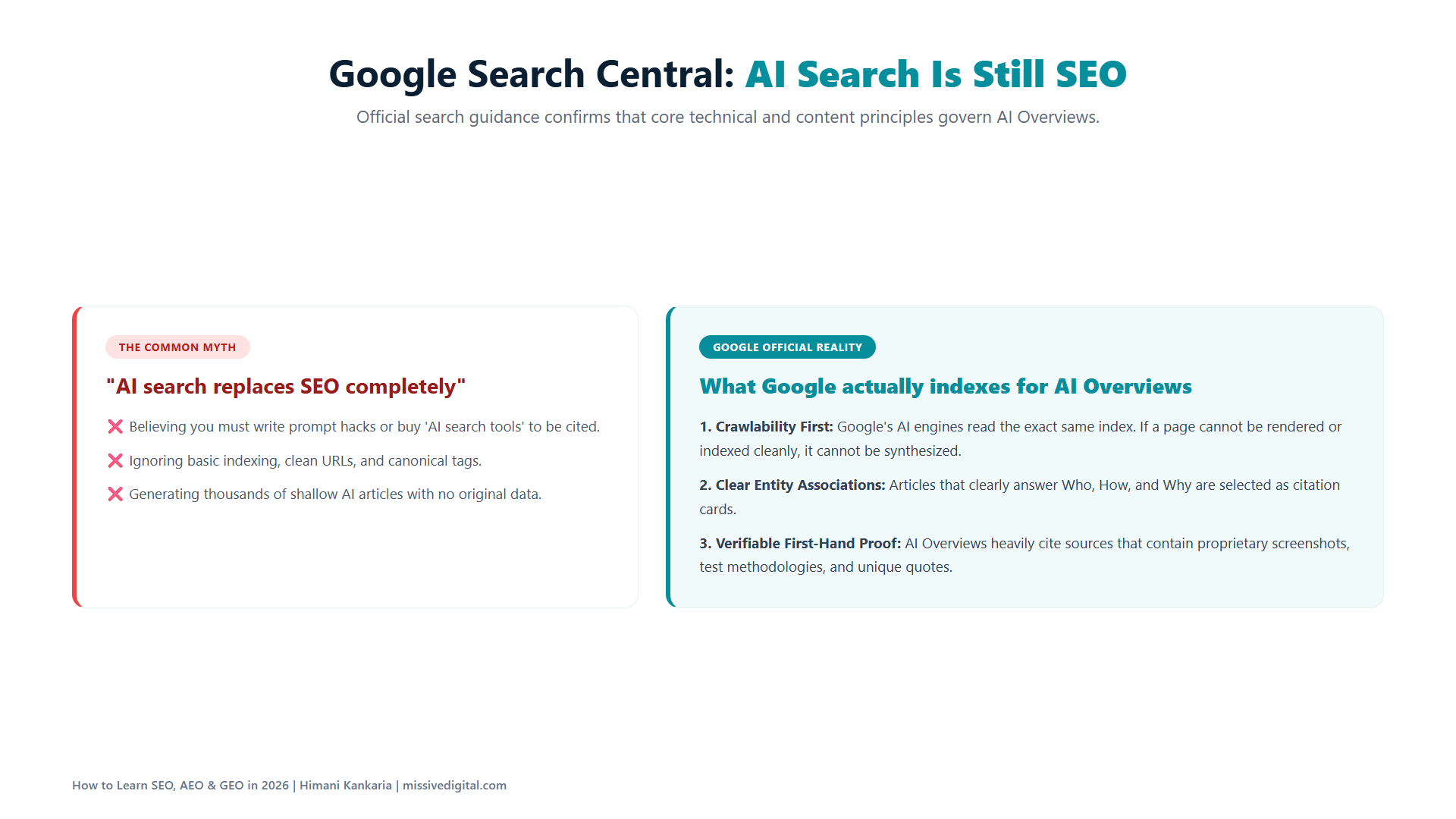
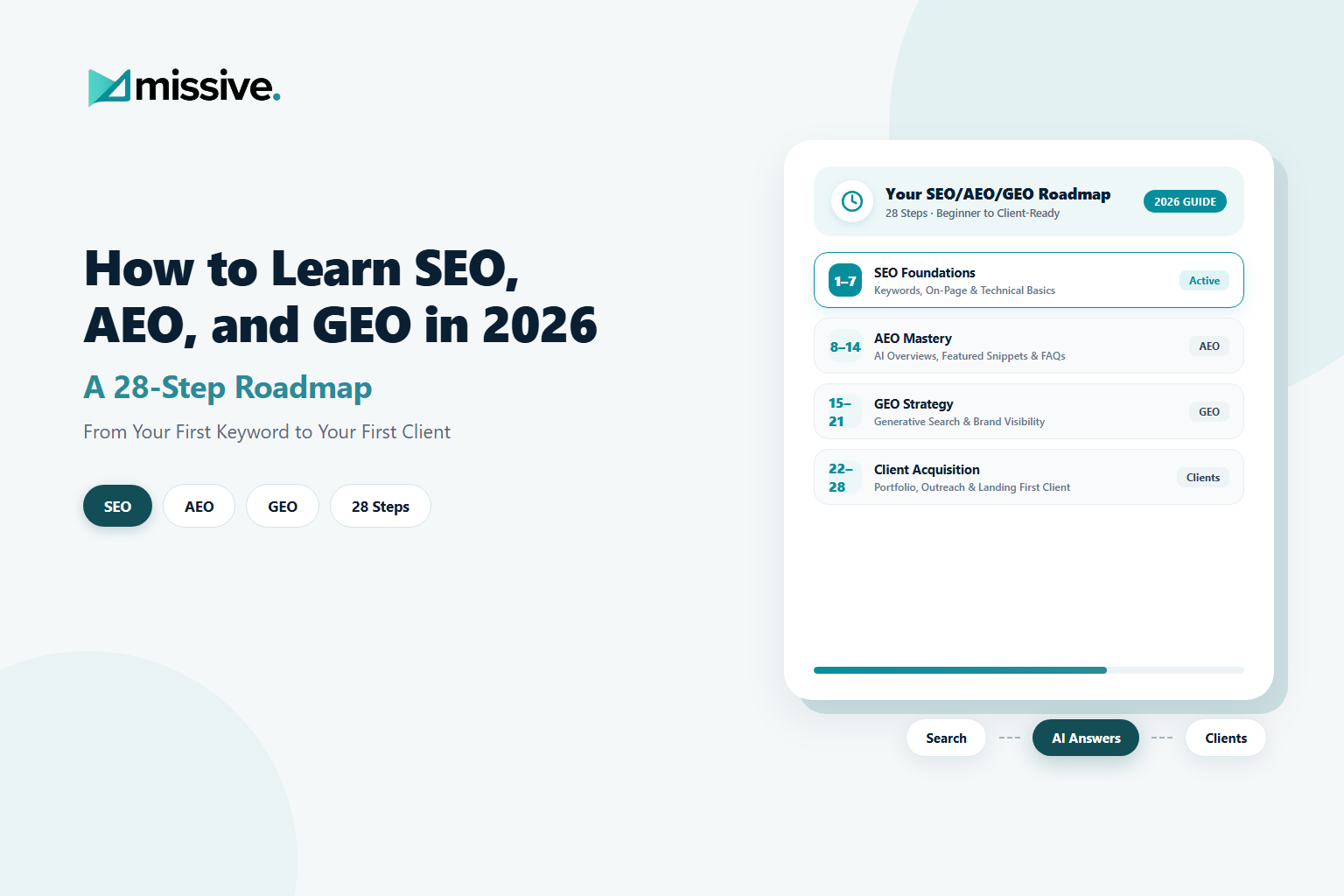
So this blog takes Ross’s 28 steps, groups them into six stages, and adds the reasoning and the 2026 data behind each one. Follow it in order. By the end, you’ll have a website, data, results, and the first case study you can show a client.
Let’s start with why this is the right time to learn.
Why You Should Learn SEO, AEO, and GEO as One Skill in 2026
The demand is real, the supply of people who can actually do it is thin, and the fundamentals haven’t changed. That’s the opportunity.
Here’s the data behind each of those three claims.
| What the data says | Why it matters to you as a learner | Source |
|---|---|---|
| 94% of enterprise CMOs plan to increase AEO/GEO spend in 2026, and about 12% of digital budgets already go there | Budgets are moving to a skill most SEOs haven't learned yet | Conductor, January 2026 |
| 71% of marketers with an AI-visibility strategy don't track share of voice against competitors, and 67% don't analyze AI bot traffic | Most teams have a strategy on paper and nobody to execute it | Scrunch and Scribewise survey, via Digiday |
| ChatGPT's share of B2B AI referrals fell from 89% to 63% in eight months, while Claude and Gemini grew | You can't learn "ChatGPT optimization." You have to learn how all of them pick sources | Goodie, AI Search Traffic Report 2026 |
| Brand web mentions correlate 3x more strongly with AI Overview visibility than backlinks (0.664 vs 0.218) | Link building alone is not the job anymore. Brand building is | Ahrefs, 75,000-brand study |
Notice what’s missing from that table: a new algorithm you need to learn. There isn’t one. AI Overviews, AI Mode, ChatGPT, and Perplexity all pull from the same web you’ve always optimized. What changed is WHERE your brand needs to show up and HOW you prove it worked.
How we do it at Missive Digital: we don’t have a separate AEO team. The same strategist who does keyword research for a client also tracks how ChatGPT describes that client. If you learn it that way from day one, you’ll never have to “add” GEO later.
Now, the 28 steps. Six stages, in order.
Stage 1: Build Your Playground (Steps 1 to 5)
You cannot learn SEO by reading about SEO. You learn it by changing something on a website, watching what Google does, and fixing what breaks. This stage gives you something to change.
1. Choose One Niche and Stay There
Pick a lane before you pick a tool: SaaS, local businesses, or e-commerce. Each has a different buyer, a different search behaviour, and a different definition of “result.”
WHY so early? Because every step after this one, from the keywords you collect to the competitors you study, depends on it. An SEO who knows one niche deeply gets hired for that niche. An SEO who knows “SEO” competes with everyone.
What each niche teaches you:
| Niche | Where the game is played | What "result" means |
|---|---|---|
| Local businesses | Google Business Profile, reviews, local packs, AI Local Packs | Calls, directions, bookings |
| SaaS | Comparison pages, use-case content, review sites, AI tool recommendations | Demos, sign-ups |
| E-commerce | Category and product pages, shopping results, AI shopping answers | Orders |
Do this: write one line describing the customer you’ll be optimizing for. If you can’t, pick the niche you already understand from your own work or life.
2. Get a Website You're Allowed to Experiment On
Build one, or find a small business that will let you practise on theirs: a friend’s clinic, a family shop, a startup that can’t afford an agency yet.
Your own website is better at the start, because you can test freely and nobody is waiting on you. A real business is better a little later, because real stakes teach faster.
Do this: a simple WordPress or Webflow site with 5 to 10 pages is enough. It needs a home page, a few service or product pages, and a blog section. That’s all you need for the next 26 steps.
3. Connect Google Search Console and GA4 on Day One
Do this before you write a single page. Search Console tells you what Google sees. GA4 tells you what people do after they arrive. Both are free.
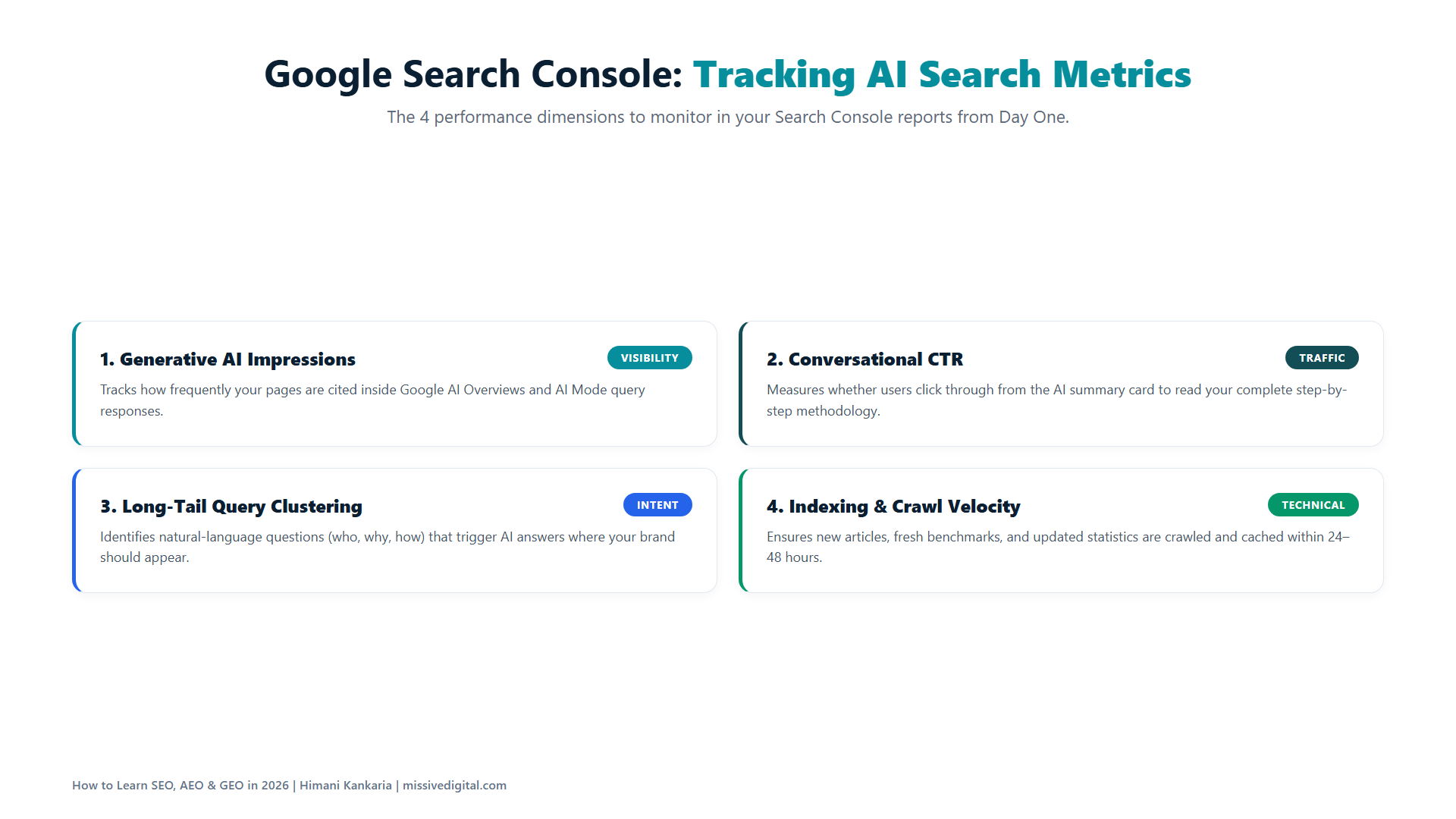
In June 2026, Google added a Generative AI performance report to Search Console, which shows how often your pages appear inside AI Overviews and AI Mode. So the same free tool now shows you both your Google visibility and your AI visibility.
Learn it here:
- Google’s own Search Console getting-started guide
- Google’s GA4 setup guide
Do this: verify your site in Search Console, submit your sitemap, set up GA4, and mark one key event (a form submission or a button click). Then leave both alone for two weeks so data builds up.
Quick tip: the AI report only shows impressions, not clicks. Remember that when you read it in Stage 6.
4. Learn How Google Crawls, Indexes, and Ranks, in That Order
This is the one piece of theory you cannot skip. A page has to be found (crawled), understood and stored (indexed), and only then judged against other pages (ranked).
Most beginner mistakes live in the first two. The page isn’t ranking because it was never indexed. It was never indexed because the crawler couldn’t reach it, or Google decided it wasn’t worth storing.
Learn it here:
- Google’s How Search Works is the best 20-minute read on this
- The crawling and indexing chapter of Moz’s Beginner’s Guide to SEO is the clearest plain-English version
- Aleyda Solis’ LearningSEO.io is a free roadmap of reliable guides for every area of SEO, including AI search; bookmark it now, you’ll come back to it at every stage of this blog
Do this: open the Page indexing report in Search Console and read every reason listed under “Why pages aren’t indexed.” Then put one of your own URLs into the URL Inspection tool and read what Google says about it.
5. Understand the Three Files That Control All of It
robots.txt tells crawlers where they can and cannot go. Canonical tags tell Google which version of a page is the original. XML sitemaps tell Google which pages you want indexed.
A wrong line in any of the three can quietly stop a page from being seen, and nothing in your content will fix it. So learn them before you touch content.
Learn it here: Google documents all three.
- robots.txt
- Canonical URLs; read this one twice, it also tells you what NOT to use robots.txt for
- Sitemaps
Do this: open yourdomain.com/robots.txt, view the source of your home page and find the canonical tag, and open your sitemap URL. Then do the same for five big websites in your niche and note the differences.
One thing you don’t need: an llms.txt file. Google’s AI optimization guide says it isn’t required for its generative AI features. Learn the three files that matter before chasing the ones that don’t.
Stage 2: Research Like a Strategist, Not a Tool Operator (Steps 6 to 10)
Ahrefs and Semrush will give you 10,000 keywords in a minute. Your job in this stage is to find the 10 that matter, and to be able to explain why.
6. Reverse-Engineer Five Competitors
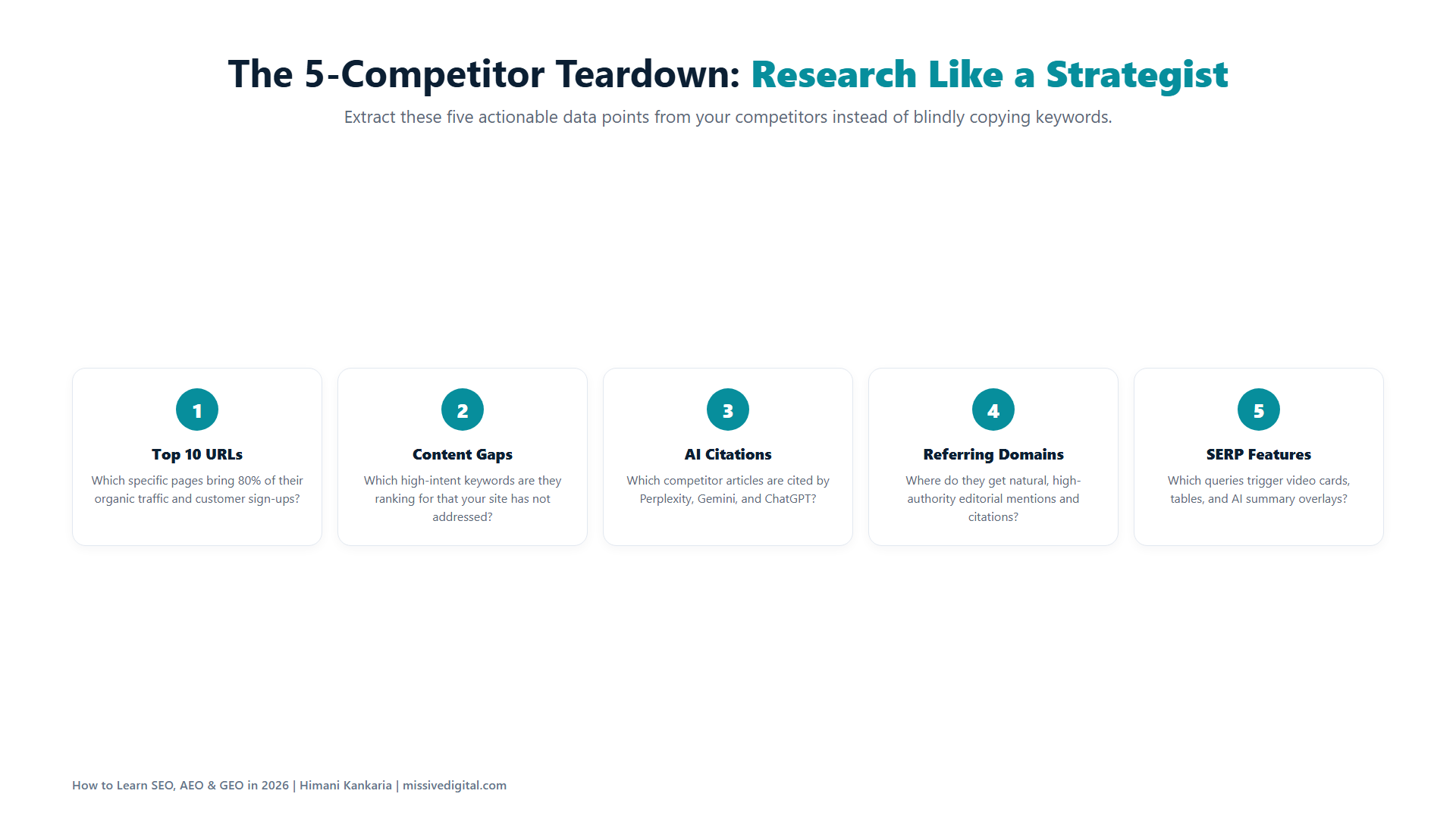
Pick five websites in your niche that are already winning, and study them in Ahrefs or Semrush. Which pages bring them the most traffic? Which keywords do they rank for that nobody else does? Where do their backlinks come from?
You’re not copying them. You’re learning what the market already rewards, so you don’t spend three months guessing.
Learn it here: Ahrefs’ guide to SEO competitor analysis walks through the exact reports (Top pages, Content gap, Referring domains). Semrush’s equivalent is the Organic Research and Keyword Gap tools.
Do this: for each competitor, export their top 20 pages by traffic and their top 50 keywords. Put all five into one sheet. The keywords three or more of them share are your niche’s core topics.
Quick tip: include one competitor that is small but growing. Big brands rank on authority. The small one ranks on strategy, and that’s the one you can learn from.
7. Build a List of 100 Keywords Real Customers Use
Not keywords the tool suggests. Keywords a customer would actually type. There’s a difference, and your niche choice in Step 1 is what helps you tell them apart.
Pull from five places:
- Your keyword tool’s suggestions from 5 to 10 seed terms
- The Queries report in Search Console for your practice website
- “People also ask” and autocomplete on Google
- Questions customers ask in sales calls, reviews, and support tickets
- The prompts people type into AI tools, which are long, personal, and have no search volume
I’ve written a full process for the fifth one in my blog on keyword research for AI search, so I won’t repeat it here. Just make sure your 100 includes some of these.
Learn it here:
- Ahrefs’ keyword research guide covers seed keywords, metrics, and the mistakes beginners make with search volume
- Mark Williams-Cook’s AlsoAsked pulls the full “People also ask” tree for a keyword in one go, the fastest way to see every question your customers ask around a topic
8. Sort Them by Intent, Then by Topic
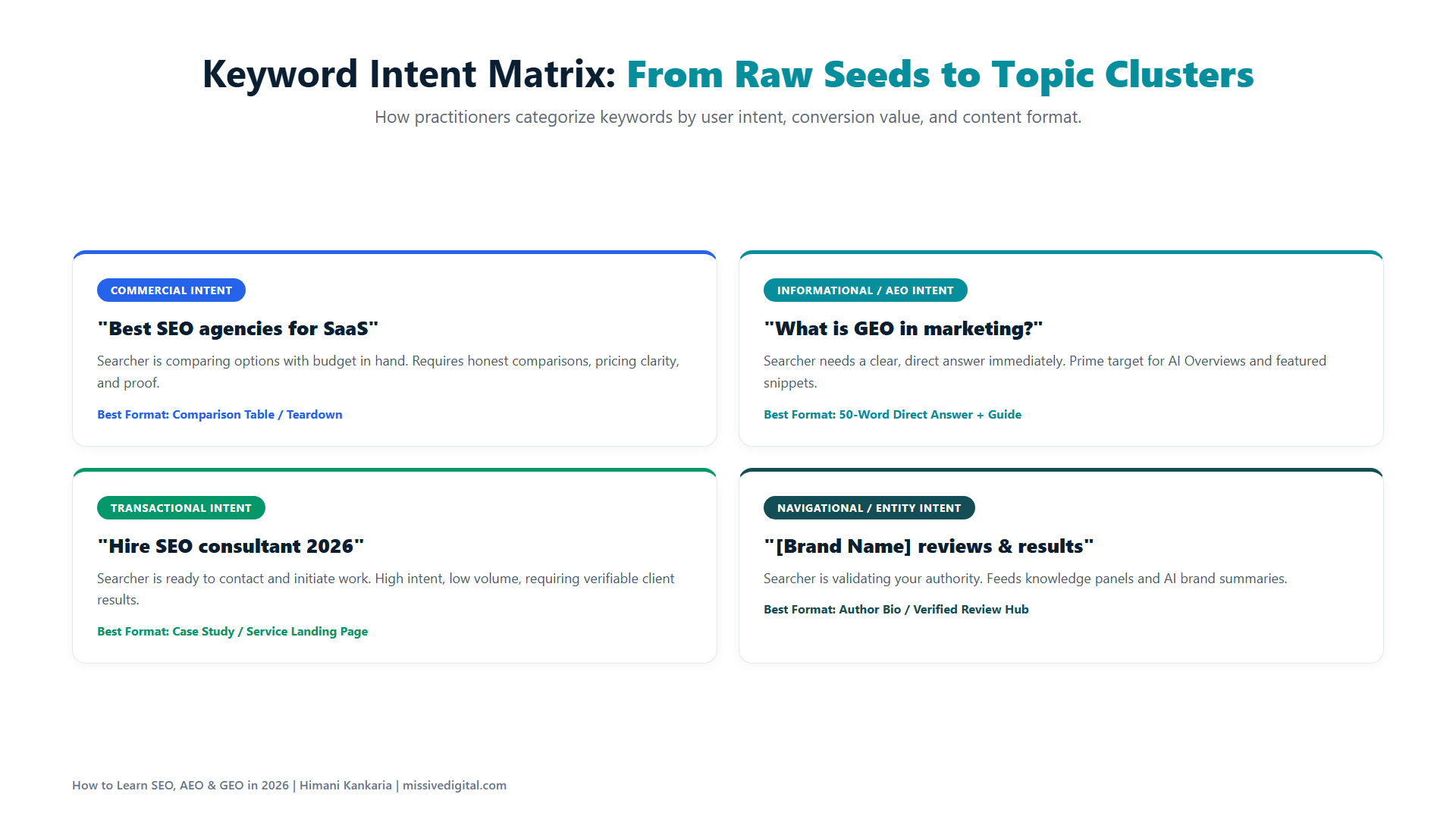
A list of 100 keywords is useless until it’s grouped. First by intent: is the person learning, comparing, or ready to buy? Then by topic cluster: which keywords belong on the same page, and which deserve their own?
This is the step where you stop thinking like a tool user and start thinking like a strategist. A cluster becomes a page plan. A page plan becomes a content calendar.
Learn it here:
- Ahrefs’ search intent guide explains the three intent types
- Ahrefs’ keyword clustering guide explains the grouping method; the simplest rule: if two keywords show mostly the same pages in Google, they belong on one page
- Keyword Insights, built by Andy Chadwick and Suganthan Mohanadasan, clusters keywords by live SERP overlap and labels the intent for you, for when your list grows past what you can group by hand
- Chima Mmeje’s approach to building topic clusters shows how to turn clusters into a content plan; her focus on owning a whole topic, not a keyword, is the one I’d copy
Do this: add two columns to your sheet, Intent and Cluster. Fill Intent from the words in the keyword (“what is” = learning, “vs” or “best” = comparing, “price” or “near me” = buying). Fill Cluster by Googling pairs of keywords and checking how many results overlap.
9. Google Every Keyword and Study the Top Five
For each keyword, look at who ranks, what format wins (a guide, a tool page, a listicle, a video), and what shows above the results. In 2026 that often means an AI Overview, and sometimes the full answer sits inside it.
Do the first 10 to 15 by hand, in an incognito window, so you learn what to look for. After that, don’t Google 100 keywords one by one. Pull the top results in bulk: the SERP overview in Ahrefs or Semrush gives you the top 10 for every keyword in your list, Keyword Insights exports the SERP it clustered on, and a SERP API (SerpApi, DataForSEO) or an AI agent with browsing can scrape the top five into a sheet for you. The tool collects; you still do the reading.
Do this: write one line per keyword in your sheet: “Top 5 are all listicles, AI Overview present, no local pack.” That one line will shape what you create in Stage 3 more than any tool metric.
Learn it here:
- Ahrefs’ SERP analysis guide shows what to look for in each result: format, angle, freshness, and the SERP features present
- Screaming Frog’s tutorials (linked in Step 17) include list mode and custom extraction, which is how to scrape a list of SERP URLs for titles, headings, and word counts in one crawl
10. Shortlist 10 Keywords With Low Competition and High Intent
From your 100, pick 10 you can realistically win in the next three to six months. Low competition means the top results are weak, outdated, or from forums. High intent means the person searching is close to a decision.
WHY only 10? Because you’re learning, and 10 pages done properly will teach you more than 50 pages done halfway. And 10 wins is enough for your first case study.
Do this: score each of your 100 keywords from 1 to 3 on two things: how weak the top five results look (from Step 9), and how close to a purchase the searcher is (from Step 8). The 10 with the highest combined score are your shortlist. Write them on a separate tab; this tab is the plan for the next three stages.
Stage 3: Create Pages That Earn Both the Click and the Citation (Steps 11 to 16)
This is where most learners rush, and where most results are decided. Ten pages, each built to be the best answer for one of your 10 keywords.
11. Write Pages That Are Actually Useful, Not Just Optimized
For each of your 10 keywords, create the page you’d want to find if you were the searcher. Before you write, answer one question: what can I put on this page that the top five results don’t have?
If the answer is “nothing,” don’t write it yet. On October 1, 2026, Google updated its guidance on AI-generated content to say that effort, originality, skill, and accuracy are what its raters look for in main content. A rewrite of what already ranks fails all four.
Learn it here:
- Google’s Creating helpful, reliable, people-first content page is a self-assessment list; run every page against it
- Lily Ray has written and spoken on E-E-A-T more than anyone in the industry; start with her E-E-A-T resources and her coverage of core updates
- My blog on content strategy for AI Overviews has the full list of what to stop writing and what to write instead
Do this: for each page, write a one-line brief before drafting: the keyword, the intent from Step 8, the format that wins from Step 9, and the one thing this page will have that the top five don’t.
12. Learn On-Page SEO: Titles, H1s, URLs, and Meta Descriptions
These four are the first things Google reads and the first things a searcher sees. Learn to write them so both understand the page in one line.
Learn it here:
- Google documents how it builds title links and snippets from your page, including why it sometimes rewrites them
- Backlinko’s on-page SEO guide is the most practical full walkthrough I know of
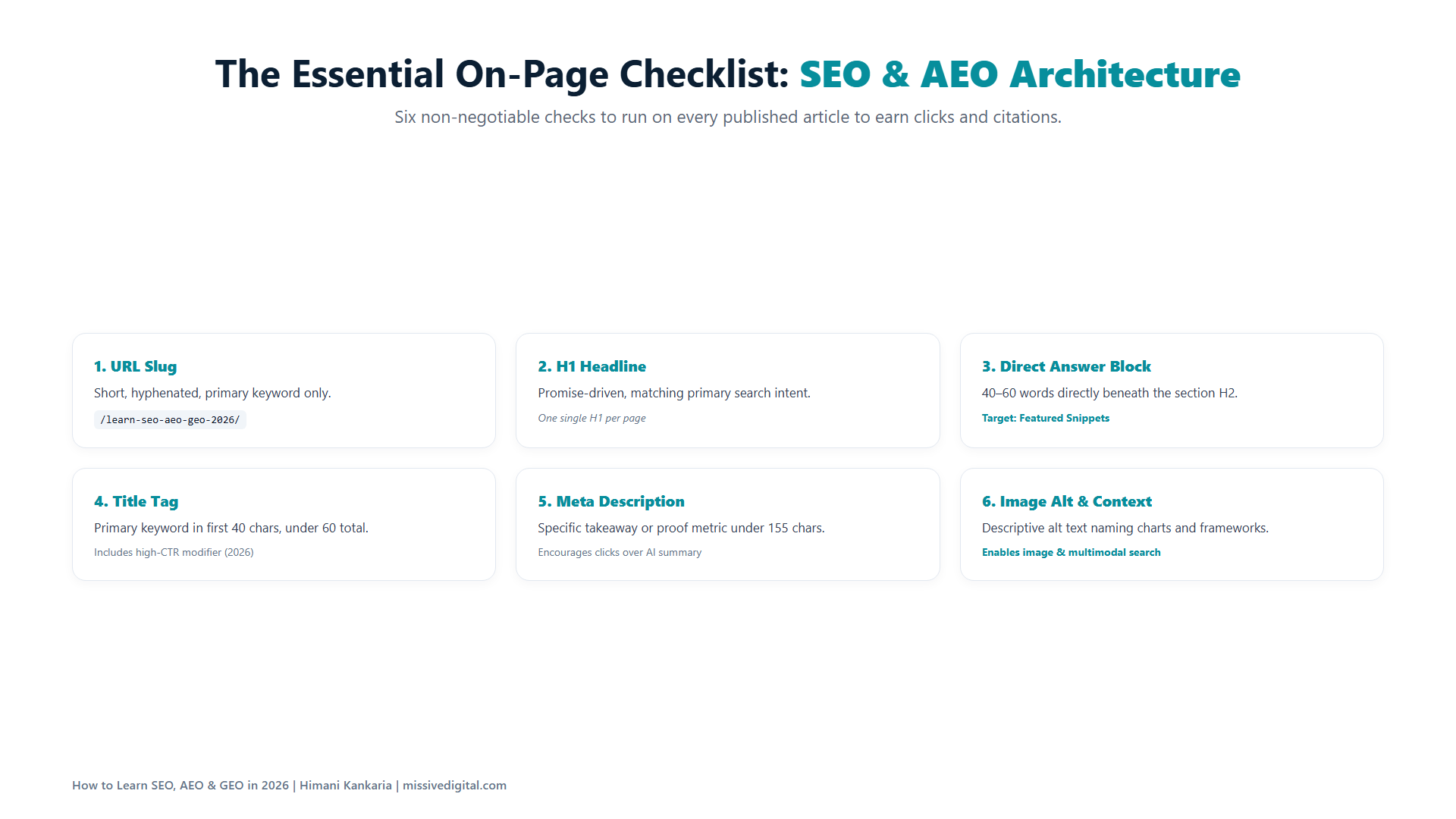
Quick tip: write your title and meta description before the page, not after. If you can’t summarise the page in one line, the page isn’t clear yet.
13. Link Your Pages to Each Other on Purpose
Every new page should link to at least two older pages that are related, and at least two older pages should link to it. This is how Google finds your new page faster and understands which pages belong to the same topic cluster from Step 8.
Most learners skip internal links because they feel small. They’re not. They’re the cheapest ranking lever you have, and you control 100% of them.
Learn it here:
- Ahrefs’ internal linking guide covers anchor text, hub-and-spoke structure, and how to find pages with no internal links pointing to them
- Cyrus Shepard’s study of 23 million internal links at Zyppy found that pages with 40 to 44 incoming internal links got about four times the Google clicks of pages with 0 to 4, and that varied anchor text mattered more than the count
Do this: keep a two-column sheet, “links to” and “linked from,” for your 10 pages. No page should have an empty cell in either column.
14. Use Your Own Screenshots, Examples, and Data
Stock images and borrowed statistics are what every AI-written page already has. Your own screenshots, your own test results, your own numbers are what AI cannot generate and what Google now rewards.
Say, for example, you tested whether a different heading in your blog’s last section changes clicks. That test, with the Search Console screenshot, is a page nobody else can write.
We did exactly this in our blog on alternatives to the “Conclusion” heading, and it is one of the top-performing blogs.
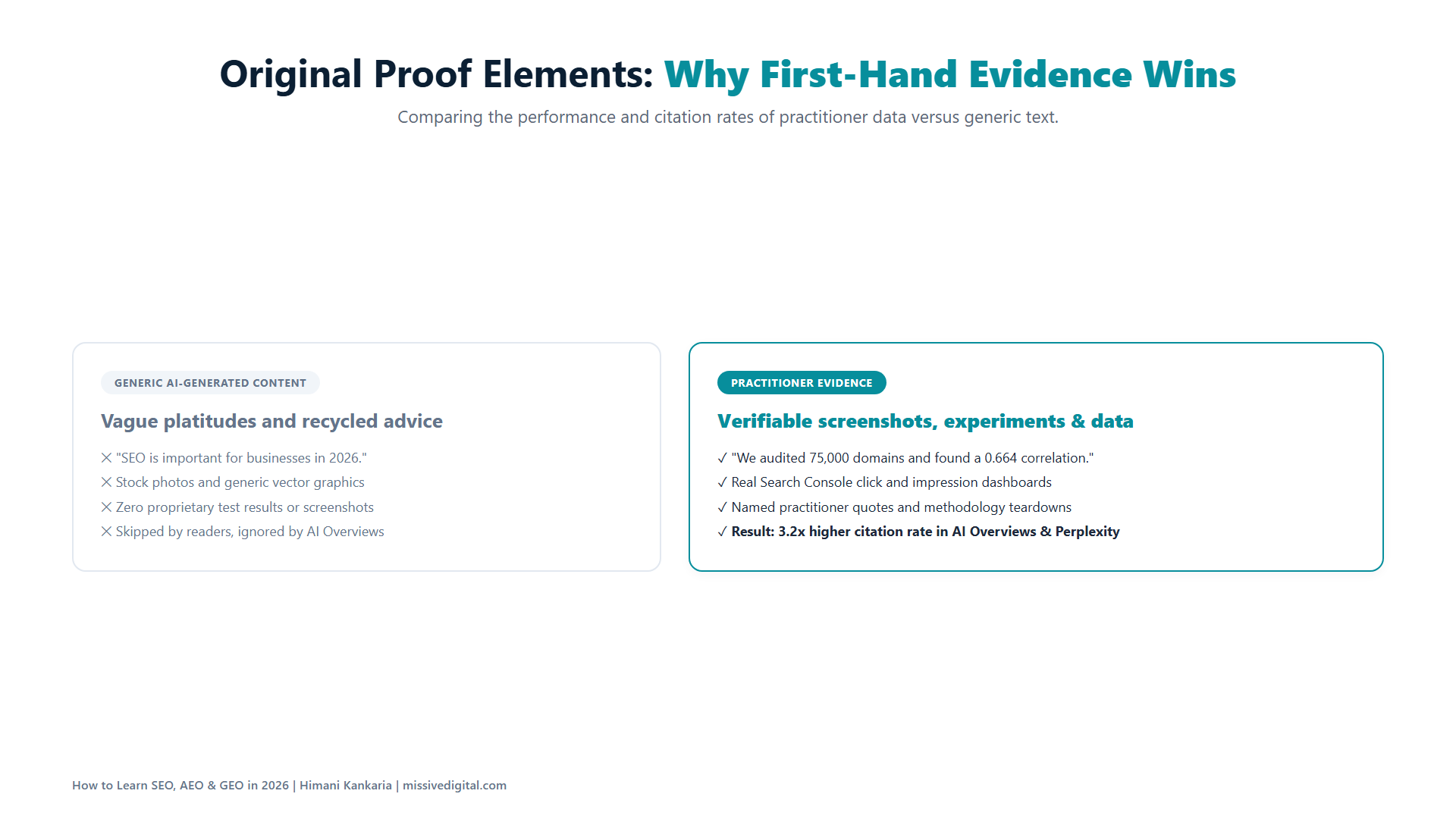
Do this: for each of your 10 pages, include at least one of these: a screenshot from a tool you used, a number from your own Search Console or GA4, a before-and-after from your practice website, or a short example from your niche that you worked through yourself.
15. Learn AEO: Answer the Question First, Then Explain
Answer Engine Optimization is simpler than it sounds. For every question your page answers, put the direct answer in the first one or two lines under the heading. Then explain, then prove.
That’s how AI Overviews, AI Mode, and ChatGPT pull an answer from a page. It’s also how a busy human reads. Look at the first line under every H2 and H3 in this blog. Each one is the answer.
Learn it here: Google’s AI optimization guide (linked in the introduction) says what it wants: clear headings, focused sections, and content that goes beyond what a generic summary could produce. It also says you do NOT need to chop content into small chunks for AI.
Do this: take one of your 10 pages and rewrite only the first sentence under each heading so it answers the heading. Don’t touch anything else. Then compare the two versions side by side.
16. Add Structured Data Where You're Eligible, and Don't Overdo It
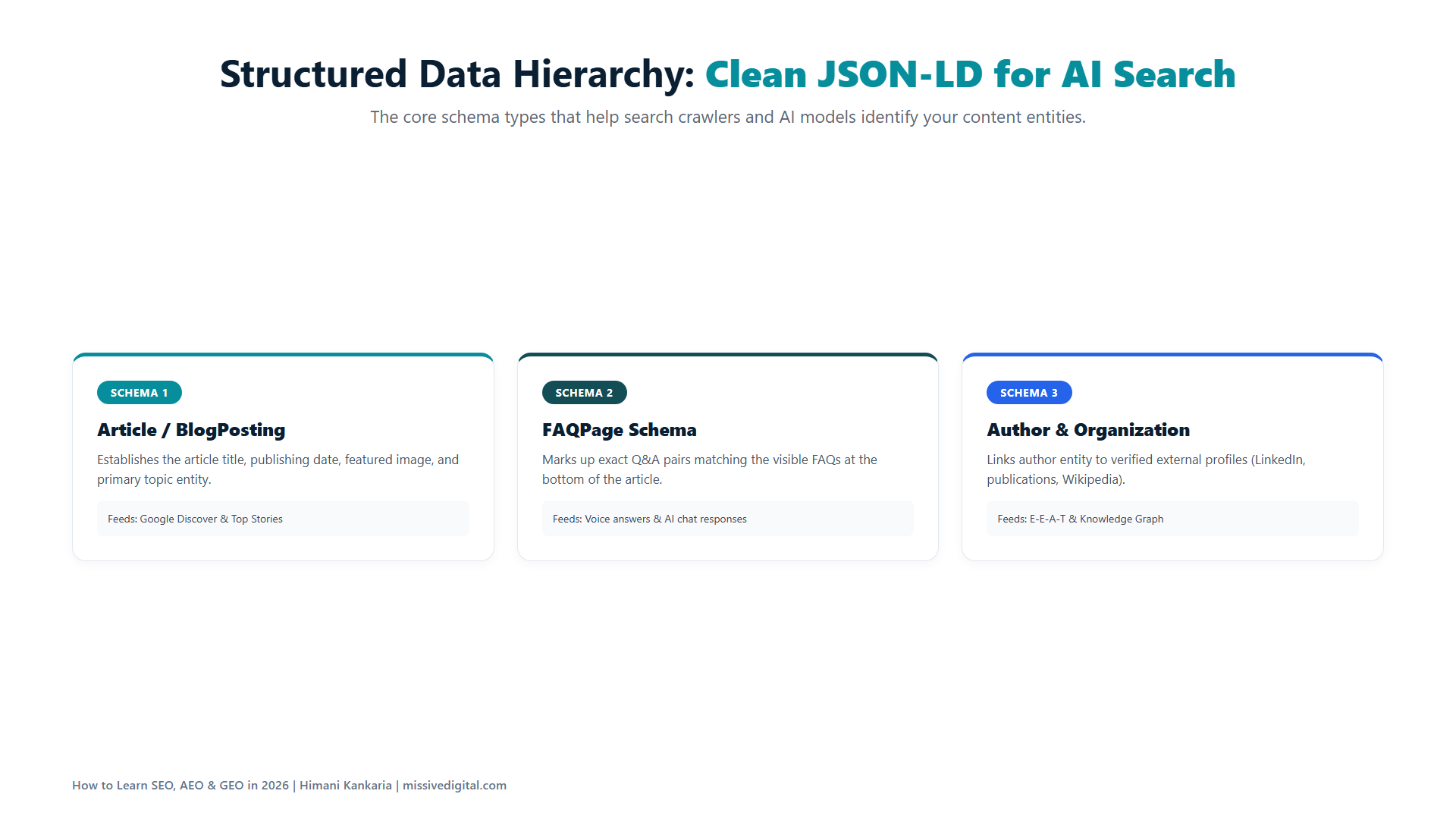
Structured data helps Google understand what a page is: an article, a product, a local business, a person. Add it where the page qualifies for a rich result, and keep it accurate.
Two things changed in 2026 that you should know. Google stopped showing FAQ rich results on May 7, 2026, so FAQ schema no longer earns extra space in the results. And Google’s AI optimization guide says structured data is not required for its generative AI features, and there is no special AI schema.
Learn it here:
- Google’s introduction to structured data is where to start
- Google’s search gallery shows which rich results still exist and which schema each one needs
Do this: add Article schema to your blog pages, Organization schema to your home page, and LocalBusiness or Product schema if your niche uses them. Test each page in the Rich Results Test. Skip anything you’re adding only because a GEO guide said AI needs it.
Stage 4: Fix What's Holding the Website Back (Steps 17 to 19)
Good content on a broken website is like a great shop with the shutter half down. This stage is short, but skipping it is the most common reason a learner’s first 10 pages don’t move.
17. Run a Technical Audit With Screaming Frog
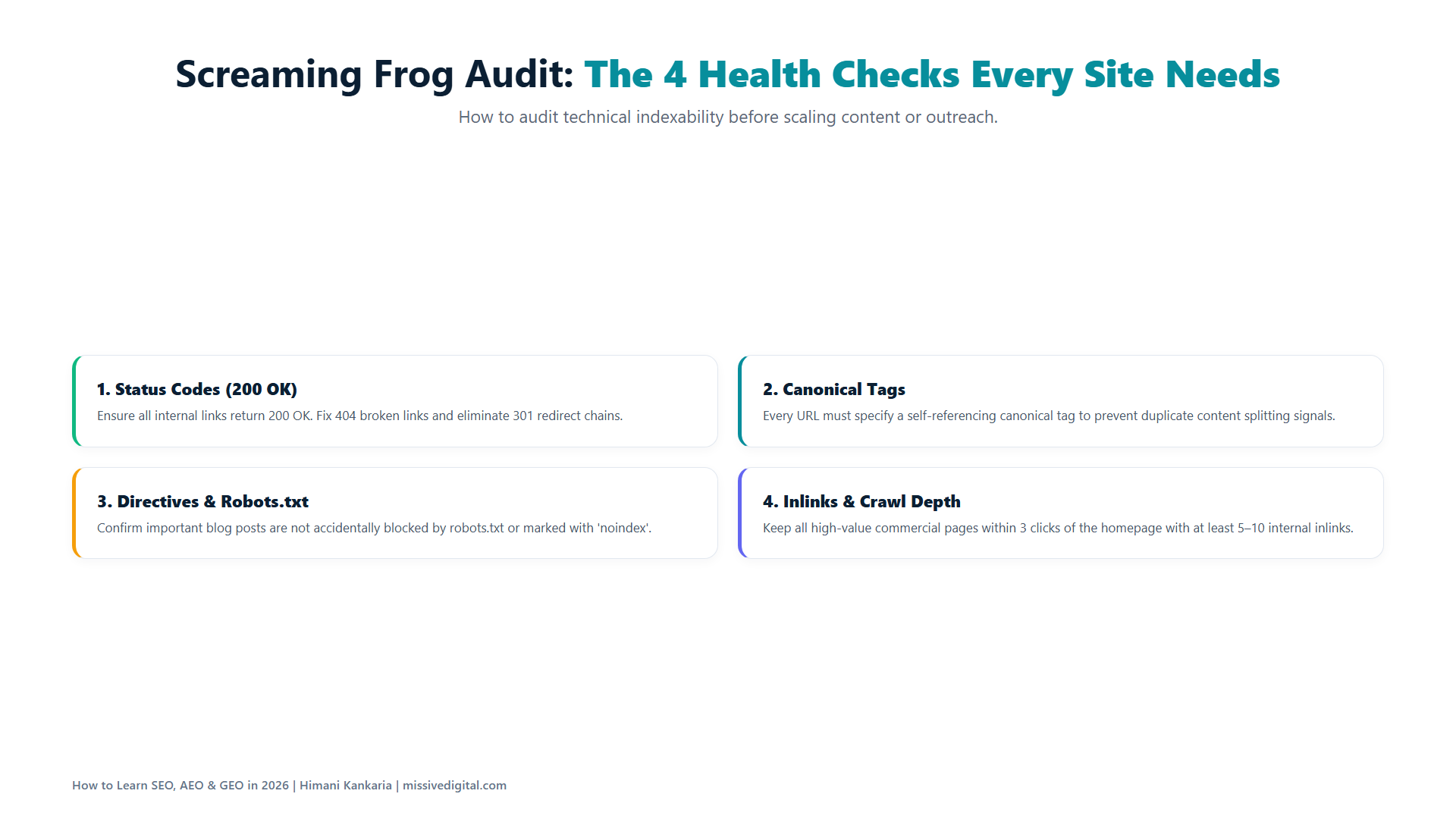
Crawl your website the way Google would. Screaming Frog shows you every URL, every status code, every title, every canonical, and every page that’s blocked or orphaned. The free version crawls up to 500 URLs, which is more than enough for your practice website.
Learn to read the crawl, not just run it: which issues block indexing, which waste crawl budget, and which are cosmetic.
Learn it here: Screaming Frog’s own tutorials are the best place to learn the tool. Read them in this order:
- Getting Started Guide
- How To Find Broken Links
- Internal Linking Audit
- How To Audit Core Web Vitals (you’ll need it in Step 18)
Do this: run your first crawl, then open these tabs in order: Response Codes (anything that isn’t 200), Canonicals (pages pointing somewhere unexpected), Directives (anything marked noindex), and Page Titles (missing, duplicate, or too long). Export each one.
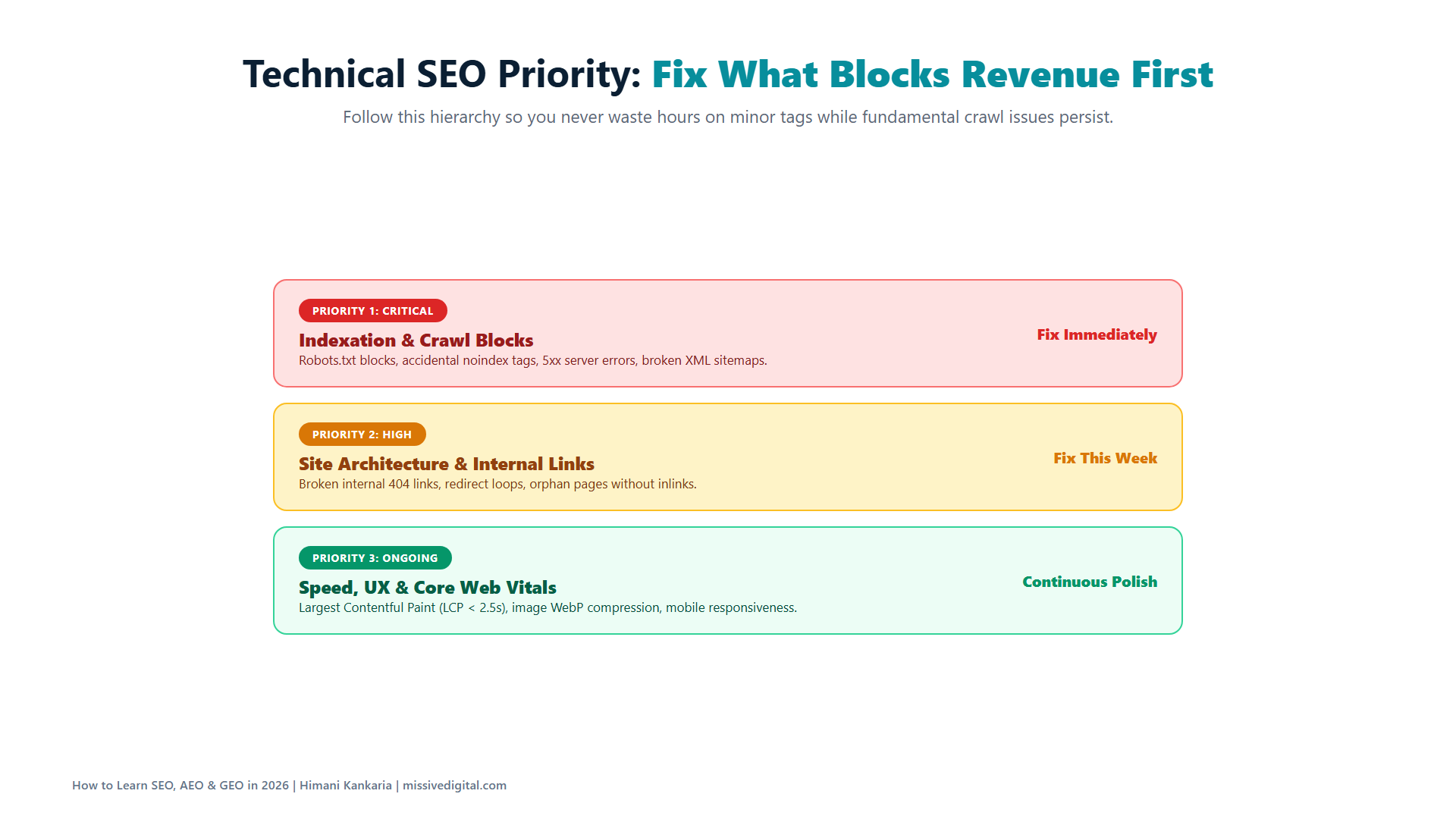
18. Fix Indexing Problems, Broken Links, and Slow Pages First
From the audit, fix in this order. Pages that should be indexed but aren’t. Links that lead to 404s. Pages that take more than a few seconds to load on mobile.
WHY this order? Because an unindexed page has zero chance, a broken link wastes the authority you’re building, and a slow page loses the visitor you worked so hard to earn. Everything else in the audit can wait a week. These three can’t.
Learn it here:
- For indexing, the Page indexing report from Step 4 tells you the reason per URL
- For speed, Google’s Core Web Vitals documentation explains the three metrics, and PageSpeed Insights tells you which one your page fails
- Screaming Frog’s Core Web Vitals tutorial (from Step 17) shows how to check every page in one crawl
Quick tip: after each fix, request indexing in Search Console and note the date in your sheet. In Stage 6 you’ll want to see what changed after which fix.
19. Study Competitor Backlinks, Then Earn Relevant Ones
Go back to your five competitors from Step 6 and look at who links to them. Industry blogs, directories, partner pages, podcasts, local news. Those are the websites already linking to businesses like yours.
Then earn your own, from websites relevant to your niche. Not 50 links from anywhere. Five links from places your customer actually reads.
Learn it here: Ahrefs’ link building guide covers the methods that still work (guest posts, resource pages, digital PR, unlinked mentions) and the ones to avoid.
Here’s what changed in 2026: backlinks still drive your Google rankings, but for AI visibility, a mention of your brand matters even without a link. The Ahrefs study of 75,000 brands (linked in the “why” table above) found that brand web mentions correlate three times more strongly with AI Overview visibility than backlinks do. So when you pitch, pitch for the mention and the context. The link is a bonus.
Do this: pull the referring domains of your five competitors, keep only the ones relevant to your niche, and list the 10 that link to two or more of them. Those 10 are your first outreach list.
Stage 5: Learn GEO, or How AI Tools Decide Whom to Recommend (Steps 20 to 24)
This is the stage most SEO courses still don’t teach, and the one clients now ask about in the first call. Everything you built in Stages 1 to 4 feeds it. GEO is not a new website. It’s the same website, seen through a different lens.
20. Learn How ChatGPT, Gemini, and Perplexity Find Their Sources
Each AI tool has a different “diet.” ChatGPT leans on Wikipedia, news, and third-party listings. Perplexity leans on Reddit and niche industry sources. Gemini and AI Overviews stay closest to Google’s own index, which is why good SEO carries over.
According to Contently’s analysis of four citation studies, Reddit is the single most-cited domain across ChatGPT, AI Mode, Gemini, Perplexity, and AI Overviews, and LinkedIn appears in about 14% of ChatGPT Search responses. Those are not your website. That’s the lesson.
Learn it here:
- Google’s page on AI features and your website explains how AI Overviews and AI Mode pick links, in Google’s own words
- Ahrefs’ study on how little AI citations overlap with Google rankings shows why ranking on page one is not the same as being cited
- Suganthan Mohanadasan’s writing on entity SEO is the clearest I’ve found on how AI tools understand what your brand IS
- Brodie Clark covers Google’s AI and SERP features as they change, week to week
- Crystal Carter’s work on AI search at the Wix SEO Learning Hub covers what gets cited and why
I’ve documented how this played out for a brand that doesn’t rank on page one of Google and still gets recommended by ChatGPT, in my blog on how LLMs decide which brands to recommend.
21. Track Which Brands Get Cited for Your Target Queries
Take your 10 keywords from Step 10, turn each into the question a real person would ask an AI tool, and run it on ChatGPT, Perplexity, Gemini, and Google AI Mode. Note which brands are mentioned, which pages are cited, and whether your practice website appears at all.
Do this once a month, in a sheet. AI answers change from person to person and from week to week, so you read the trend, not the position.
| Prompt | Platform | Brands mentioned | Pages cited | Are we there? |
|---|---|---|---|---|
| [question from keyword 1] | ChatGPT | |||
| [question from keyword 1] | Perplexity | |||
| [question from keyword 1] | AI Mode |
Learn it here: when you outgrow the sheet, Ahrefs Brand Radar, Semrush’s AI visibility reports, Peec AI, and Profound do this at scale. Start with the sheet anyway; it teaches you what the tools are measuring.
22. Create the Content That Fills the Gaps in Those AI Answers
Now compare. For each prompt, what did the AI answer leave out, get wrong, or answer too generally? That gap is your next page.
Say, for example, ChatGPT recommends three tools for your niche but can’t say which one suits a 10-person team. A page that answers exactly that, with your own comparison data, is what gets cited next time. This is use-case content, and it’s the pattern our Gumloop research (linked in Step 20) pointed to: the brand ChatGPT recommended had pages built around specific use cases, not generic ones.
Do this: add a column to your prompt tracking sheet called “Gap.” After each monthly check, write what was missing from the answer. Pick the three gaps that repeat across platforms and build those pages first.
23. Earn Credible Mentions on Websites Your Niche Trusts
The Ahrefs finding from Step 19 applies here fully. For AI visibility, a brand mention on a relevant third-party website counts even without a link, and it counts more than a backlink from an irrelevant one.
So build mentions where the AI tools are already looking. Yext’s study of 6.8 million citations found that nearly half of ChatGPT’s citations come from third-party listings and directories, not brand websites.
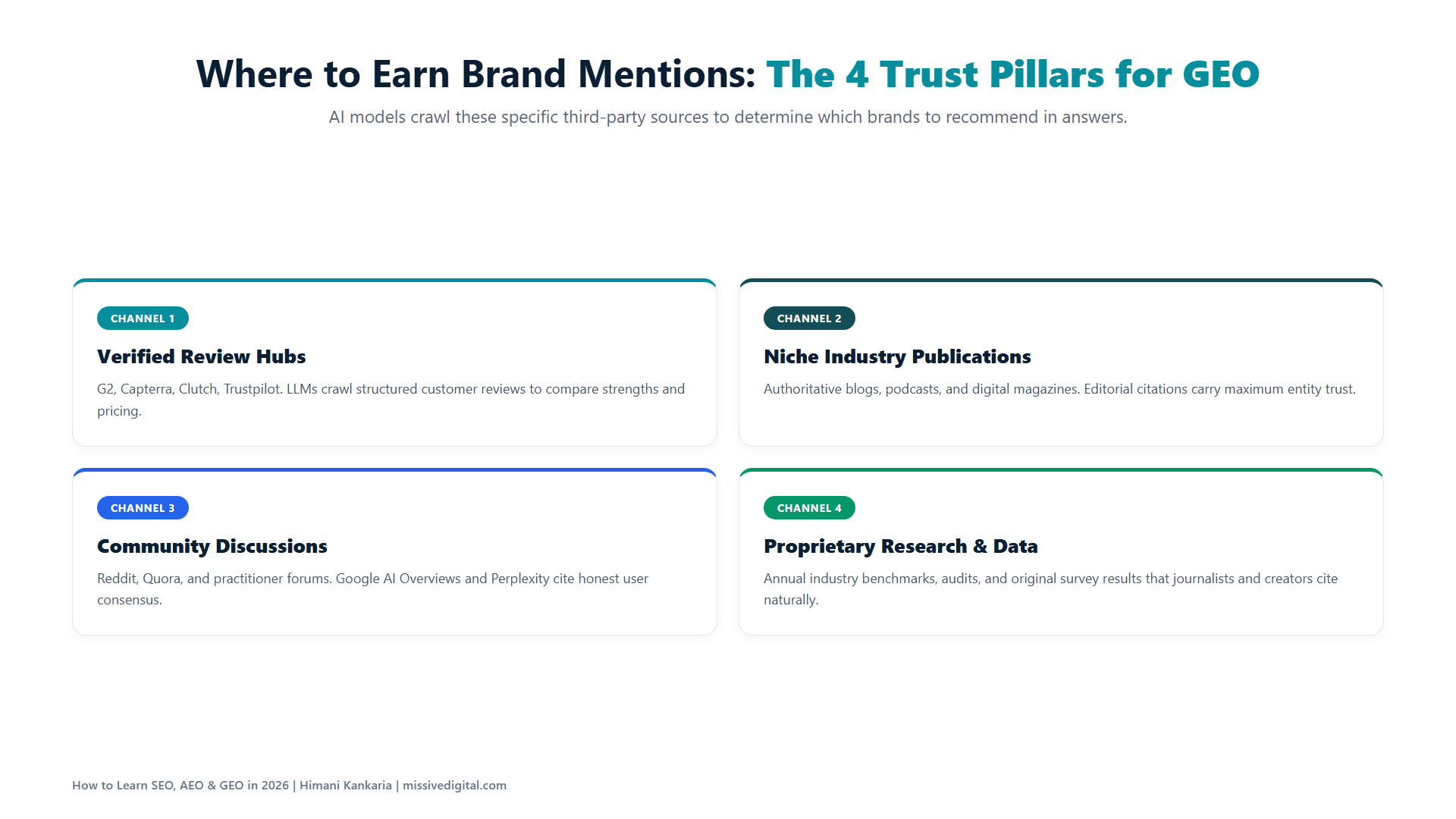
Do this: from your prompt tracking sheet, list every third-party website that was cited more than once. That list is where your brand needs to be mentioned, before you write another page on your own website.
24. Use AI to Research, Never to Mass-Produce
Use AI to find questions, summarise competitor pages, draft outlines, and check your own page for gaps. Don’t use it to publish 50 pages a week.
Google’s October 2026 update to its AI content guidance (linked in Step 11) says it in one line: it is critical to manually fact-check all AI-generated content before publishing, including titles, meta descriptions, structured data, and alt text. Scaled AI content with little human oversight is exactly what its raters are told to mark down.
Do this: keep a short list of what AI is allowed to do in your workflow and what it isn’t. Allowed: research, outlines, first drafts you’ll rewrite, gap checks. Not allowed: publishing anything you haven’t read, fact-checked, and added your own data to. If you learn to use AI this way now, you’ll never have to unlearn it later.
Stage 6: Measure, Refresh, and Turn Results Into Case Studies (Steps 25 to 28)
This is the stage that turns a learner into a professional. Anyone can do the work. Few can prove it.
25. Track Rankings, Clicks, Conversions, and AI Visibility Together
One sheet, four columns, updated monthly. Where do your 10 pages rank? How many clicks do they get in Search Console? How many conversions do they bring in GA4? And how often does your brand show up in the AI answers from Step 21?
WHY all four? Because in 2026 they move separately. A page can lose clicks while gaining AI impressions. A brand can get cited by ChatGPT and see the lead arrive as a branded Google search a week later. If you report only rankings and clicks, you’ll report a decline on work that’s actually working.
Learn it here:
- My blog on SEO KPIs for the zero-click era explains the full four-pillar framework and where to track each KPI
- The Generative AI report from Step 3 now gives you AI impressions in the same place as your Google clicks
Do this: build the sheet before you have results, so the first month is your baseline. Add a GA4 channel for AI referrals (ChatGPT, Perplexity, Gemini, Claude) so those sessions don’t hide inside “Referral.”
26. Refresh the Pages That Get Seen but Not Clicked
Open Search Console, sort your pages by impressions, and find the ones with a low click-through rate. Google is showing them. People aren’t choosing them.
That’s usually a title and meta description problem, or a page that’s now out of date. It’s the fastest win in SEO, because the page already has visibility. You’re only fixing the reason it doesn’t turn that visibility into a click.
Learn it here:
- Google’s title link and snippet documentation from Step 12 tells you why your title may be getting rewritten
- Ahrefs’ guide to updating old content covers how to decide what to refresh, rewrite, or merge
Do this: in Search Console, filter the last three months, sort by impressions, and pick the five pages with CTR below 2%. For each: rewrite the title to match the query the page is actually showing for (the Queries tab tells you), update any stale numbers or dates, and request indexing. Note the date. Check CTR again in four weeks.
Quick tip: do this every quarter. A page that hasn’t been touched in a year is a page Google and AI tools are slowly forgetting.
27. Double Down on the Pages That Bring Customers
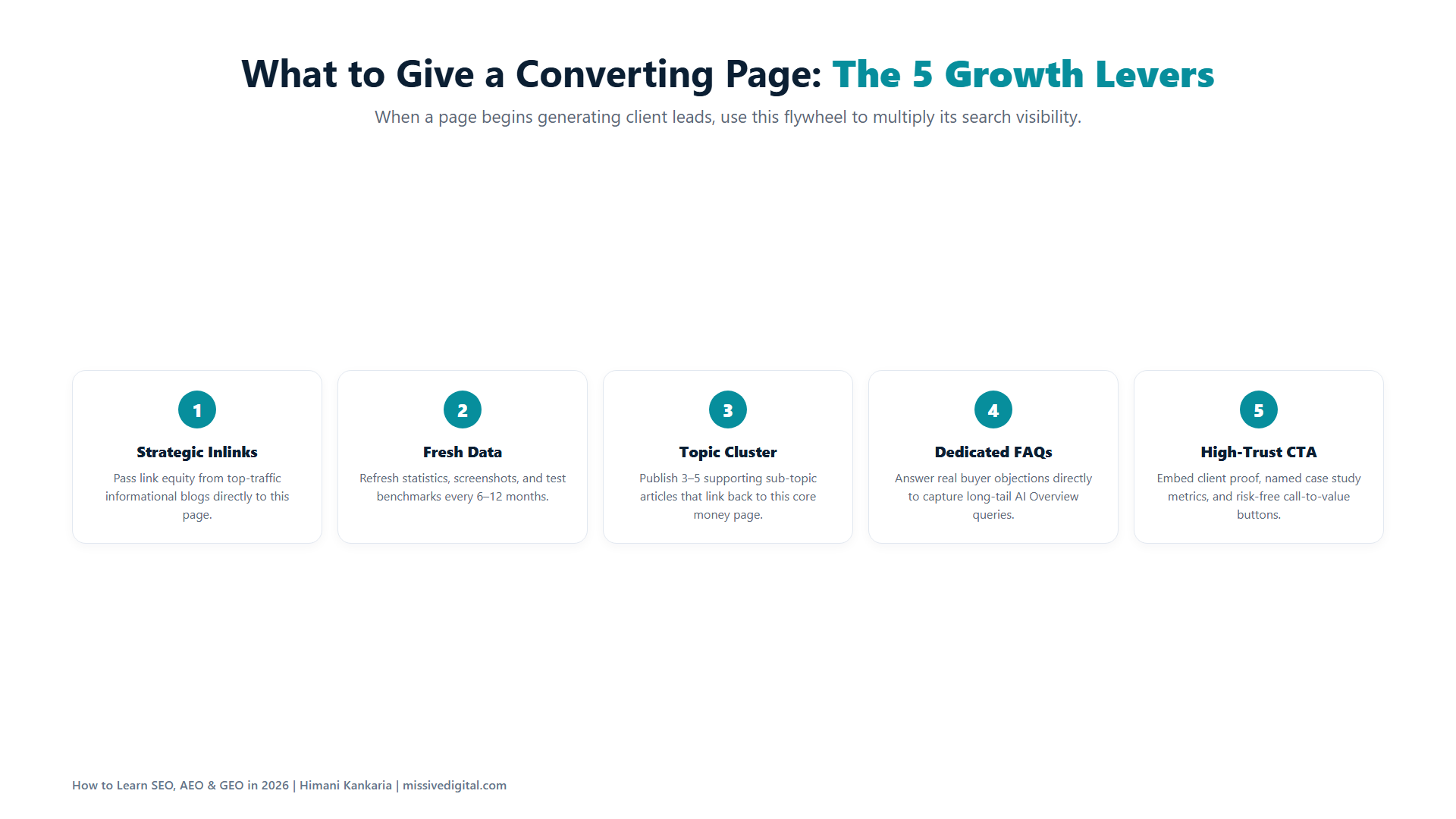
Not the pages with the most traffic. The pages with the most leads, sign-ups, or sales. Look at GA4 by landing page, find the two or three that convert, and give them more: more internal links, a fresher update, a supporting page for the next question the visitor asks.
Do this: add “How did you hear about us?” as an open text field on the contact form of your practice website. When someone writes “ChatGPT,” you’ve captured a result no analytics tool can show you.
28. Document Everything: Process, Results, and Screenshots
From the day you connect Search Console, keep a running record. What you found in the audit. What you fixed and when. What the rankings, clicks, and AI mentions looked like before and after. Screenshot all of it.
This record is your first case study. It’s what you’ll show a prospect who asks, “Have you done this before?” And it’s what separates you from everyone who finished the same course and has nothing to show.
Do this: keep one document per website with five sections: the starting point (with screenshots), what you changed and the dates, what happened (with screenshots), what you’d do differently, and one line on what it meant for the business. That’s the case study. Write it as you go, not at the end.
And that’s really it. Get results on one website. Turn them into a case study. Start charging clients. Then repeat the 28 steps with their website, and let the case studies compound.
Who to Keep Learning From Along the Way
A roadmap gets you started. People who publish what they test keep you current. These are the ones whose work is linked through this blog, and whose newsletters and feeds I’d follow from day one:
- Aleyda Solis for the full SEO roadmap (LearningSEO.io) and the SEOFOMO newsletter
- Lily Ray for E-E-A-T and every core update
- Cyrus Shepard for internal links and ranking experiments
- Chima Mmeje for topic clusters and content strategy
- Mark Williams-Cook for search intent and “People also ask” research
- Suganthan Mohanadasan for entities, keyword clustering, and AI search
- Crystal Carter for AI search and what gets cited
- Brodie Clark for Google’s AI and SERP features as they change
- Ross Simmonds for distribution, which is where the 28 steps began
Learning SEO, AEO, and GEO Is Simpler Than the Industry Makes It Sound
Twenty-eight steps. Six stages. One website. That’s the whole course.
The tools will change. The AI platforms will change. ChatGPT already lost a quarter of its referral share in eight months, and something else will take a bite next year. What won’t change is the sequence: understand the searcher, build the page that deserves to be found, make sure it can be found, get the brand talked about where the searcher already looks, and prove it with numbers.
If you learn it in that order, you’ll never need to “add” AEO or GEO to your skills. They were part of SEO all along.
And if you’re practising on a real business website and want to know where it stands in AI search today, check its GEO Readiness Score. It takes about four minutes and gives you a roadmap of what to fix first.
If you’d rather have us do it for your brand while you learn, explore our AI SEO services or book a free consultation.
Don’t wait for the perfect course. Start with Step 1 today.
Every Resource From This Roadmap, in One Place
All the guides, tools, and studies linked above, grouped by stage, so you can work through them without scrolling back.
Start here, and keep coming back
- LearningSEO.io, Aleyda Solis’ free SEO roadmap
- Google’s guide to optimizing for generative AI features
- Ross Simmonds’ original 28-point post
Stage 1: Build your playground
- Search Console getting-started guide, Google
- GA4 setup guide, Google
- Generative AI performance reports in Search Console, Google
- How Search Works, Google
- Page indexing report, Google
- Beginner’s Guide to SEO, Moz
- robots.txt, canonical URLs, and sitemaps, Google
Stage 2: Research like a strategist
- SEO competitor analysis, Ahrefs
- Keyword research guide, Ahrefs
- AlsoAsked, Mark Williams-Cook
- Keyword research for AI search, Missive Digital
- Search intent guide, Ahrefs
- Keyword clustering guide, Ahrefs
- Keyword Insights, Andy Chadwick and Suganthan Mohanadasan
- How Chima Mmeje builds topic clusters, Clearscope
- SERP analysis guide, Ahrefs
Stage 3: Create pages that earn the click and the citation
- Creating helpful, reliable, people-first content, Google
- Google’s October 2026 guidance on AI-generated content, via Digital Applied
- Lily Ray’s E-E-A-T resources
- Content strategy for AI Overviews, Missive Digital
- Title links and snippets, Google
- On-page SEO guide, Backlinko
- Internal linking guide, Ahrefs
- 23 million internal links study, Cyrus Shepard at Zyppy
- 5 alternatives to the “Conclusion” heading, Missive Digital
- Google ends FAQ rich results, via TechWyse
- Introduction to structured data and the search gallery, Google
Stage 4: Fix what’s holding the website back
- SEO Spider tutorials, Screaming Frog
- Core Web Vitals, Google
- Link building guide, Ahrefs
- AI Overview brand visibility factors, 75,000 brands, Ahrefs
Stage 5: Learn GEO
- AI features and your website, Google
- AI search overlap study, Ahrefs
- Top 10 sources LLMs cite most in 2026, Contently
- Entity SEO, Suganthan Mohanadasan
- Google’s AI and SERP features, Brodie Clark
- Wix SEO Learning Hub, Crystal Carter and team
- How LLMs decide which brands to recommend, Missive Digital
- What sources AI search engines cite, Yext data via cheers.tech
Stage 6: Measure, refresh, and build case studies
- SEO KPIs for the zero-click era, Missive Digital
- Guide to updating old content, Ahrefs
The 2026 data behind the “why”
- State of AEO/GEO CMO Investment Report, Conductor
- 2026 AI Search Survey, Scrunch and Scribewise via Digiday
- AI Search Traffic Report 2026, Goodie
FAQs on Learning SEO, AEO, and GEO in 2026
Yes, it's worth learning. AI search tools pull their answers from the same web that Google indexes, so the skills that get a page found and trusted are the same. What's changed is where you need visibility and how you prove it. Enterprise CMOs are increasing AEO/GEO budgets, and the people who can do the work are still few.
Start with SEO, because AEO and GEO sit inside it. A page can't be cited by an AI tool if it can't be crawled, indexed, and understood first. In this roadmap, Stages 1 to 4 are the SEO foundation and Stage 5 is GEO. Don't skip to Stage 5.
Plan for three to six months to go through all 28 steps on one website, because you need time for Google to index, rank, and show results. Stages 1 and 2 take a few weeks. Stages 3 to 5 take the longest. Stage 6 runs every month after that.
Free: Google Search Console, GA4, Google Business Profile, and the AI tools themselves. Paid: Ahrefs or Semrush for competitor and keyword research, and Screaming Frog for technical audits (free up to 500 URLs). You can complete the first five steps with zero spend.
With a documented result, not a certificate. Practise on one website, record the before-and-after with screenshots, and turn it into a one-page case study. Then approach businesses in the same niche, because your case study already speaks their language.
You can use AI to research, outline, and check your work, and you should. But you can't learn SEO without a real website, real Search Console data, and real results. AI can explain what to do. Only practice teaches you what happens when you do it.