
Key Takeaways
- LinkedIn’s 2026 feed reads your headline, your niche, and your post history together before deciding who sees a post.
- When those signals contradict each other, or your writing sounds generic, reach drops.
- The fix: a headline that names what you post about, a consistent niche, posts that match your profile, and a voice that is clearly yours.
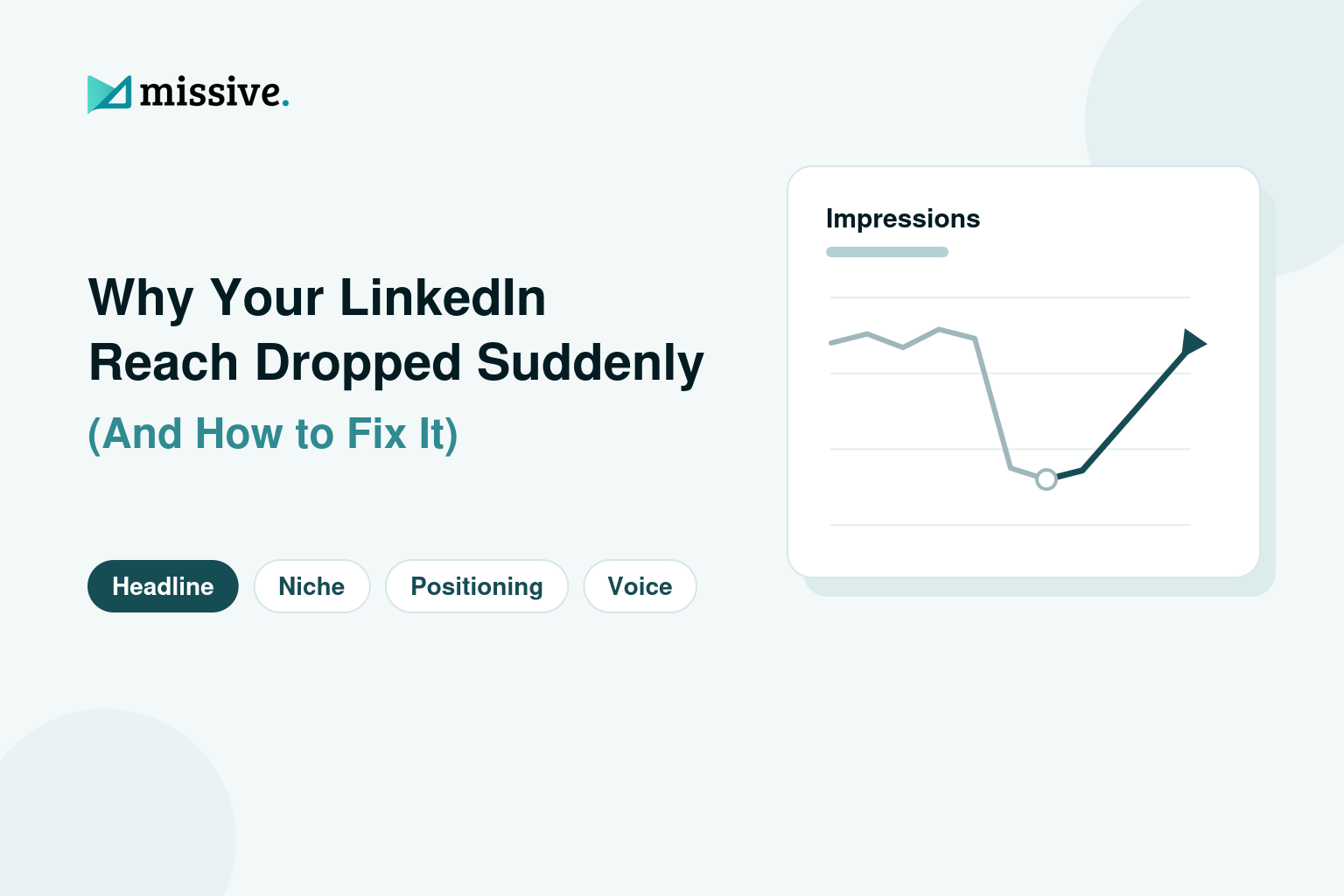
“My LinkedIn reach dropped suddenly. Did I do something wrong?”
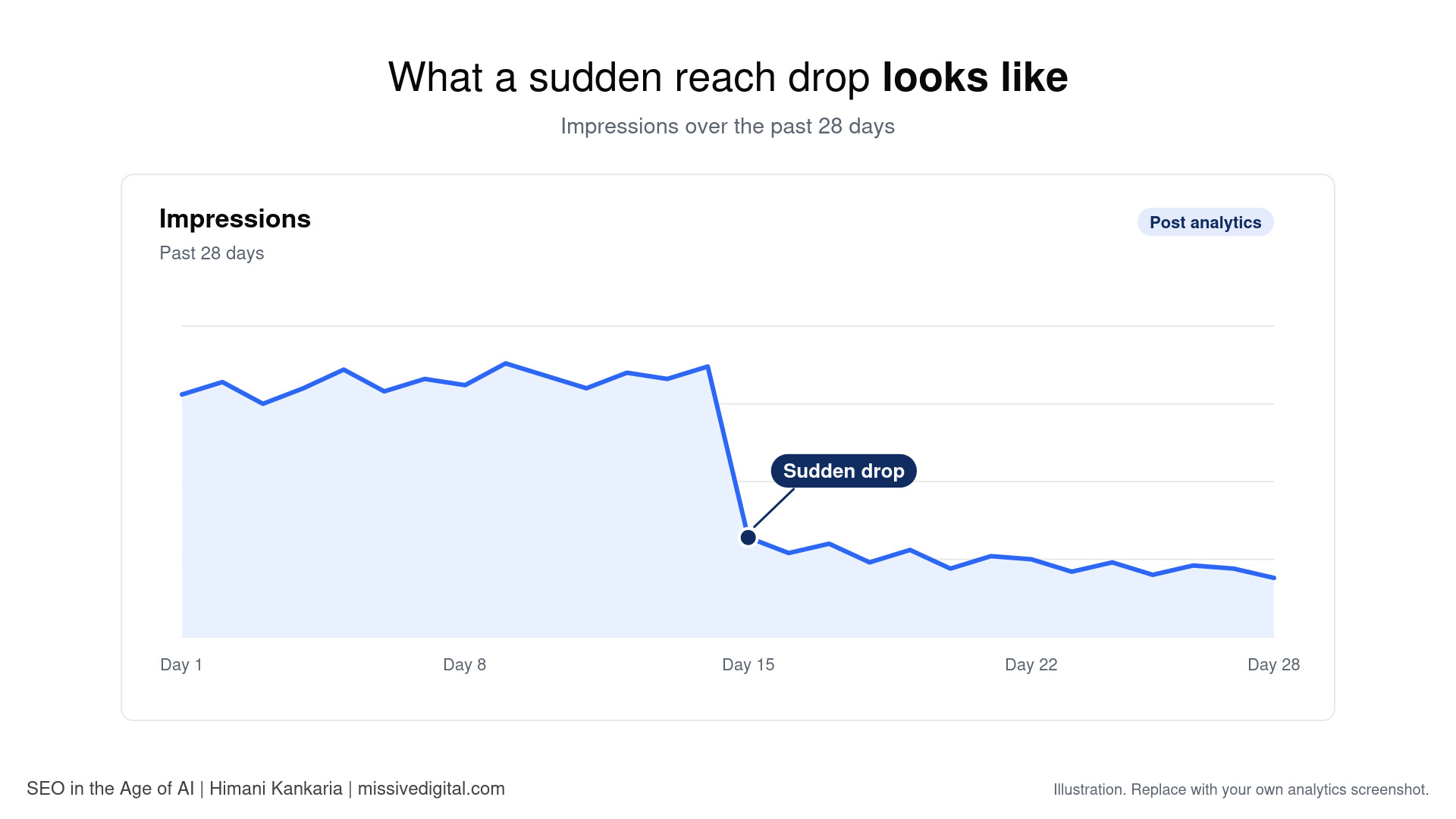
This is the question founders and marketing leaders most often bring to us at Missive Digital right now. In most cases, the post is fine. The match between the post, the profile, and the past is not.
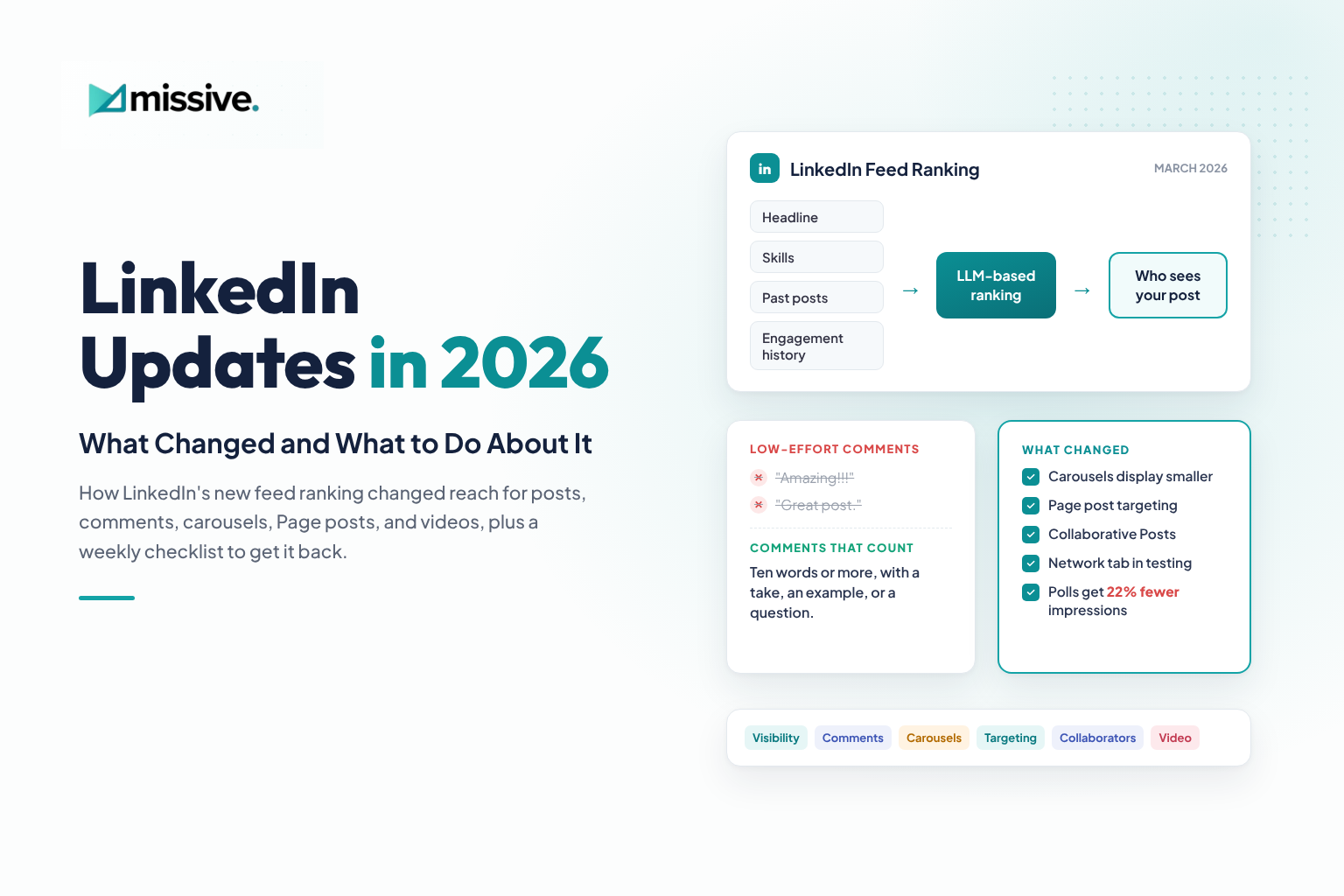
On March 12, 2026, LinkedIn announced a rebuilt feed that uses large language models to understand what a post is about and who it is relevant to. Here is what it checks, and the four fixes our team applies when we run LinkedIn marketing and personal branding for founders and marketing leaders at Missive Digital.
Why Your LinkedIn Reach Dropped Suddenly
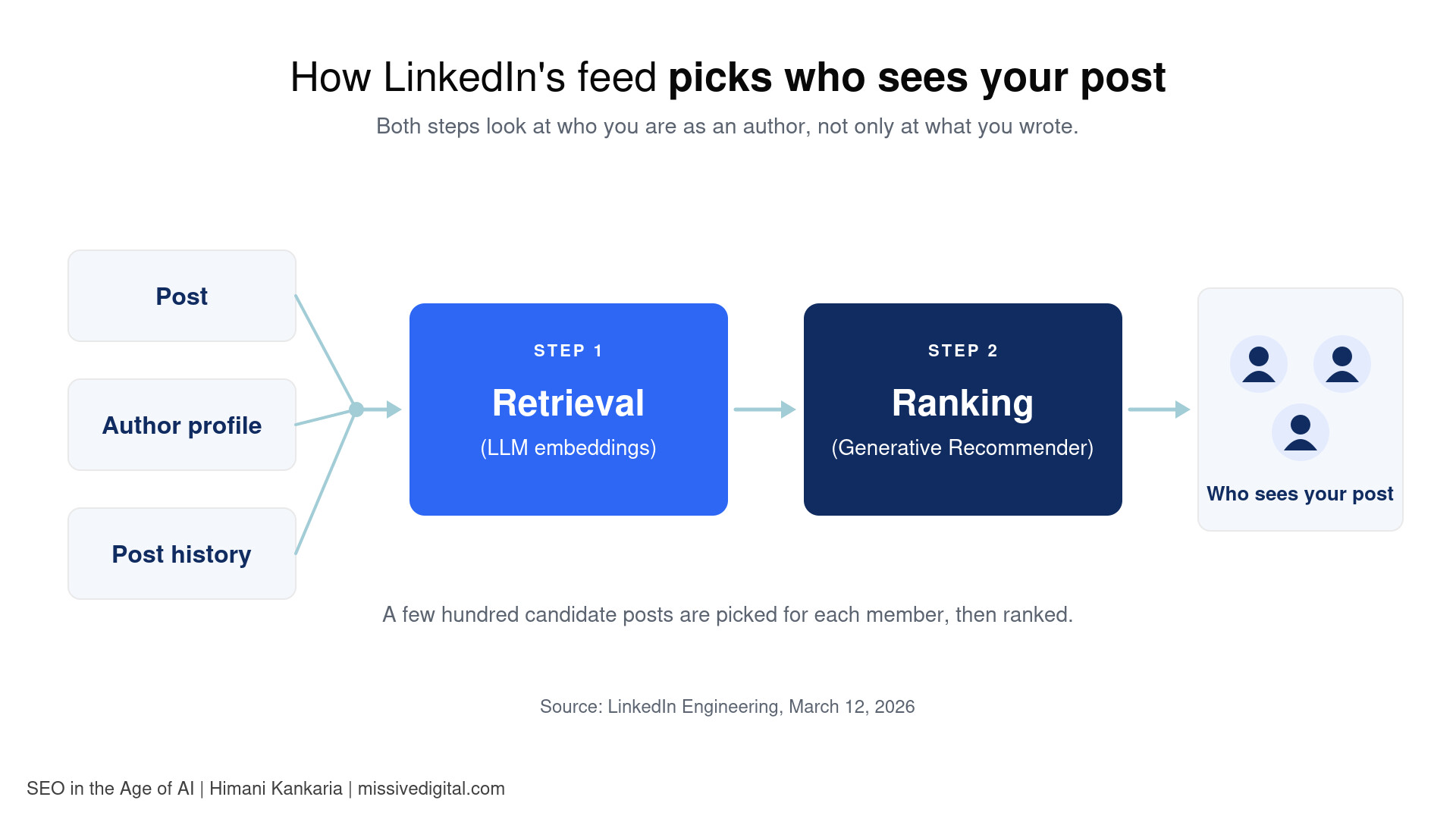
LinkedIn’s feed first picks a few hundred candidate posts for each member, then ranks them. Both steps look at who you are as an author, not only at what you wrote, as Hristo Danchev explains on LinkedIn's engineering blog. When the signals about you are unclear, the feed has no confident audience to send you to.
Your Headline Does Not Match What You Post About
LinkedIn turns each post into a text prompt for its model, and that prompt includes the author’s headline, company, and industry alongside the post text, according to PPC Land's breakdown of the engineering post. Your headline travels with every post.
So a headline like “Marketing Manager at Company X” paired with posts about AI search gives the model two different people. It struggles to place your post in front of readers who care about AI search.
Your Posts Jump Between Too Many Topics
LinkedIn says its new models read the industry, skills, and experience you share, along with how you engage over time. A post on leadership habits from someone whose profile says “B2B SaaS SEO” sits far from the expertise the model links to you. Each off-topic post weakens that link.
Your Engagement History Points to the Wrong Audience
The ranking model treats activity as a sequence and reads more than 1,000 past interactions to understand where interests are heading. A viral, off-niche post can teach the system that your audience likes motivational quotes, not the CMOs you want to reach.
Artificial engagement does not help either. LinkedIn has said it is working to make engagement pods ineffective and to reduce bait such as prompts asking people to comment to agree.
Your Content Sounds Generic or AI-Written
In May 2026, Laura Lorenzetti, VP and Executive Editor at LinkedIn, shared that LinkedIn now detects generic, low-effort AI content. Posts that appear AI-generated and lack a clear perspective are less likely to travel beyond your immediate network. In early testing, LinkedIn identified generic content correctly 94% of the time.
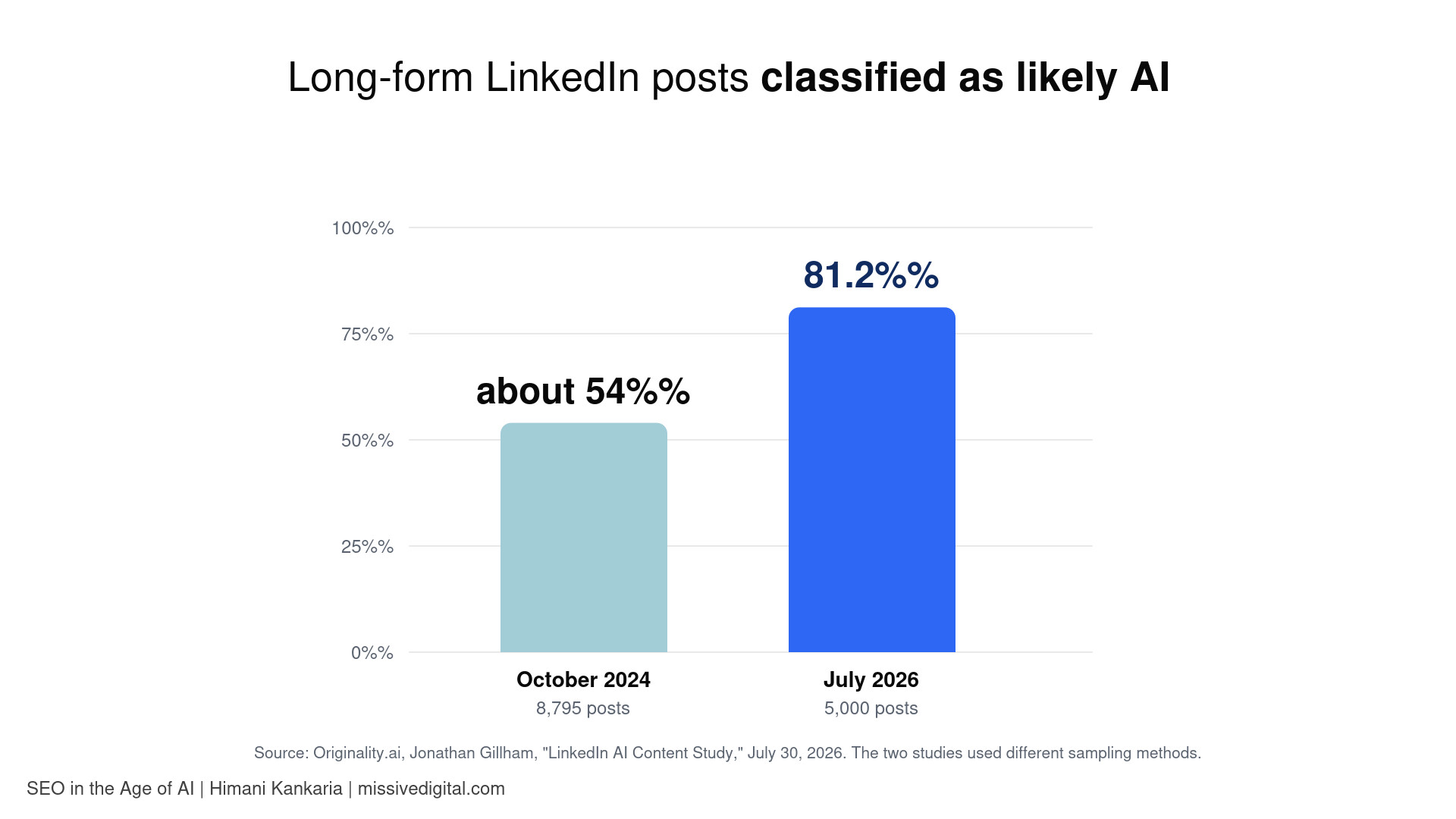
The scale explains the crackdown: in a July 2026 sample of 5,000 public long-form posts, Originality.ai classified 81.2% as likely AI.
How to Fix Your LinkedIn Reach in Four Steps
Step 1: Update Your Headline So It Says Exactly What You Post About
Your headline is the one line LinkedIn attaches to every post you publish, and the first thing people read next to your name in the feed and in comments. It has two jobs: tell the feed what you are an expert in, and tell a stranger why they should follow you.
Use a simple headline formula
The structure we use when we rewrite headlines for the founders and leaders whose LinkedIn we manage:
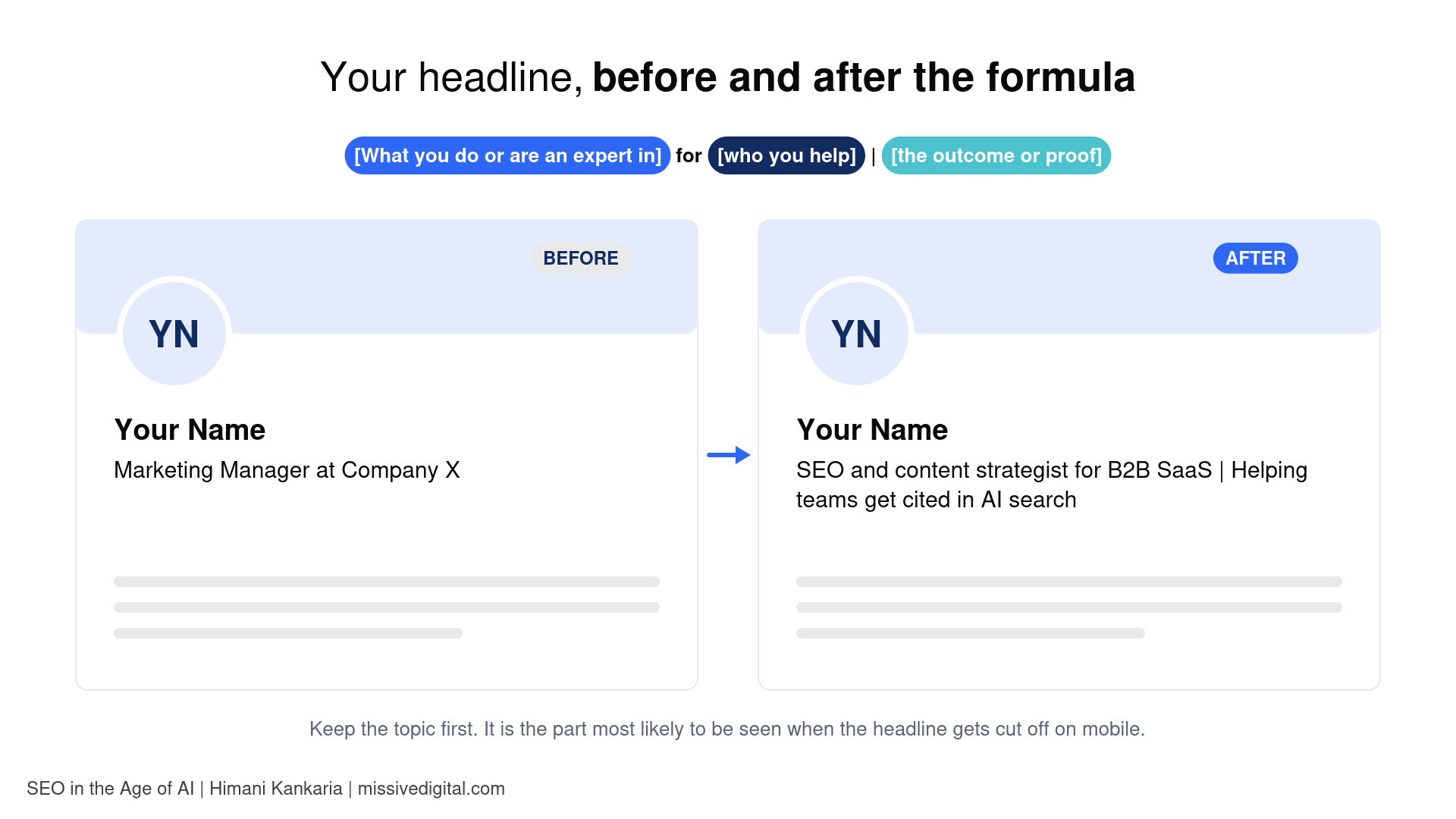
[What you do or are an expert in] for [who you help] | [the outcome or proof]
Keep the first part about the topic you post on, because that is the part most likely to be seen when the headline gets cut off on mobile. Here is how the formula plays out for different people:
| Who you are | Headline example |
|---|---|
| Agency founder | SEO and content strategist for B2B SaaS | Helping teams get cited in AI search |
| Independent consultant | Fractional CMO for early-stage fintech | Building go-to-market from zero to first 100 customers |
| In-house marketer | Product marketing lead at a cybersecurity company | Writing about launches and positioning |
| Job seeker | Data analyst specializing in healthcare operations | SQL, Python, and dashboards that cut reporting time |
Prefer standard titles and real proof
Kathy Bernard recommends standard job titles over creative ones, such as “Sales Representative” instead of “Sales Guru,” because the system recognizes them more reliably. She also suggests adding proof points that back up your expertise. Proof can be a number, a publication you write for, a credential, or a type of client you serve. One proof point is enough; three starts to look like a list.
Avoid the three headline patterns that confuse the feed
| Headline pattern | Example | What goes wrong |
|---|---|---|
| Vague | Helping businesses grow | Marketing enthusiast | Names no topic and no audience, so the feed cannot match your posts to anyone |
| Keyword-stuffed | Strategist | Coach | Speaker | Futurist | Author | Five identities, none strong enough to anchor your posts |
| Outdated | Marketing Manager at Company X (while every post is about AI search) | Describes your past, not what you post about now |
Update your headline before you change topics, not after
If you are pivoting, for example from general marketing to AI search, change your headline first. Then start posting on the new topic. The other way around means weeks of posts that do not match your profile. Expect a transition period while your new posts build history under the new positioning.
Run the five-post test
Open your profile and read your headline next to your last five posts. If a stranger could not see the connection in ten seconds, either the headline or the posts need to change. Our team runs this test at the start of every personal branding engagement, and it usually reveals the problem faster than any analytics screen.
Step 2: Stay Consistent Within Your Niche
Consistency is not about posting every day. It is about posting on the same few topics often enough that your history tells one story.
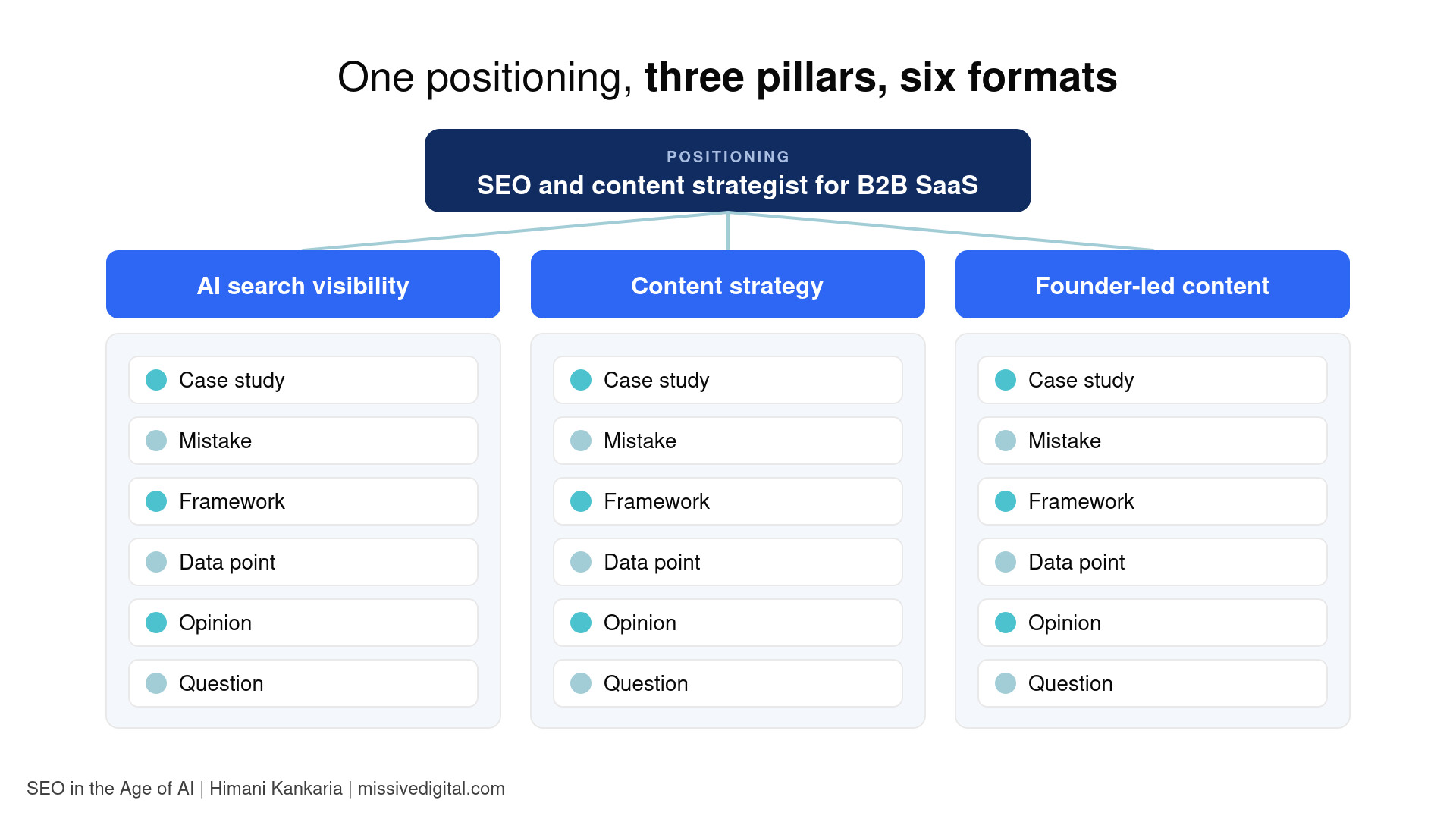
Choose two or three content pillars
A content pillar is a topic you can talk about with authority for months. To find yours, look for the overlap of three things:
- What you know deeply: the work you do every week and the results you have seen.
- What your audience struggles with: the questions clients, prospects, or peers keep asking you.
- What your business needs: the services, roles, or opportunities you want this visibility to lead to.
At Missive Digital, this is where every founder’s LinkedIn engagement starts: we map their pillars to their positioning, then test new angles inside those pillars before stepping outside them. Our LinkedIn marketing and personal branding team then writes and publishes within those pillars on their behalf.
Keep most posts inside your pillars
When we run a founder’s LinkedIn, we keep at least eight out of every ten posts inside their pillars. The remaining posts can be personal, but tie them back to a lesson in your niche. A story about your child’s school project can work on LinkedIn if it ends with what it taught you about briefing your content team.
Get variety from formats, not topics
Repeating a topic does not mean repeating yourself. Rotate how you cover it:
- Case study: what you did for a client, what changed, and what you learned
- Mistake: something that did not work and what you would do differently
- Framework: a step-by-step method people can save and reuse
- Data point: a number from your own work or a credible study, with your interpretation
- Opinion: a clear position on a debate in your industry
- Question: a real question you are wrestling with, asked to start a discussion
Here is what one month could look like for an SEO and content strategist:
| Week | Pillar | Format | Post idea |
|---|---|---|---|
| 1 | AI search visibility | Data point | What we saw when we checked which pages AI tools cite for a client |
| 2 | Content strategy | Mistake | A content calendar we built that looked great and drove nothing |
| 3 | Founder-led content | Framework | Five questions to ask before a founder posts on LinkedIn |
| 4 | AI search visibility | Opinion | Why "AI-optimized content" still starts with human expertise |
Check who is engaging, not only how many
Once a month, open your post analytics and look at the job titles, industries, and companies of the people viewing and engaging with your posts. If they match the audience in your headline, your niche signal is working. If they do not, look at which posts attracted the wrong crowd and adjust.
Step 3: Match Every Post to the Positioning of Your Profile
Your headline is only one part of your profile. LinkedIn says its feed models read the industry, skills, and experience you share, so the rest of your profile should back up the same topics your posts cover.
Audit your profile against your pillars
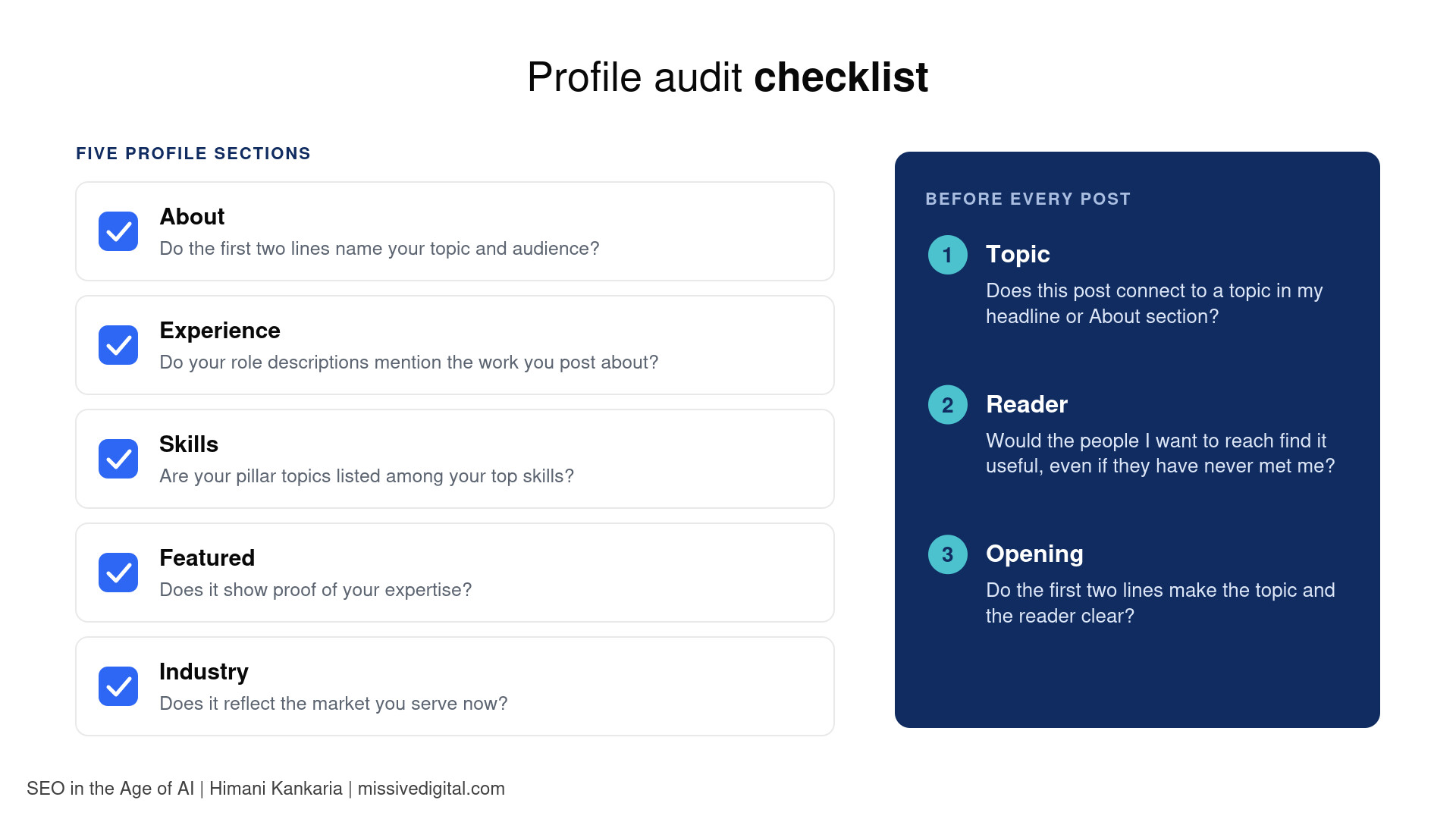
Go through each section with your two or three pillars in front of you:
| Profile section | What to check | Example of a fix |
|---|---|---|
| About | Do the first two lines name your topic and audience? | Replace "Passionate marketer with 10 years of experience" with "I help B2B SaaS teams turn content into pipeline and AI search visibility." |
| Experience | Do your role descriptions mention the work you post about? | Add two lines on the content and SEO projects you led, with a result |
| Skills | Are your pillar topics listed among your top skills? | Add "Content Strategy" and "Search Engine Optimization"; remove skills you no longer use |
| Featured | Does it show proof of your expertise? | Pin your best case study, talk, or published article |
| Industry | Does it reflect the market you serve now? | Update it if you have moved into a new sector |
Run a three-question check before every post
- Topic: Does this post connect to a topic in my headline or About section?
- Reader: Would the people I want to reach find it useful, even if they have never met me?
- Opening: Do the first two lines make the topic and the reader clear?
If the answer to the first question is no, the post may still be worth sharing. Just expect it to reach fewer of the right people, and do not judge your strategy by its numbers.
Be specific in your opening lines
Because LinkedIn’s models read meaning, a specific opening gives them more to work with than a broad one. “Leadership lessons I learned this year” could match millions of posts. “What I learned leading a content team through a site migration that lost 40% of traffic” tells the feed, and the reader, exactly who this is for.
Build a bridge when you post on an adjacent topic
Sometimes you want to post about something close to your niche, such as hiring, a conference, or a tool. Connect it to your expertise in the first lines. Instead of “Five takeaways from this event,” try “Five takeaways for B2B content teams from this event.” The topic stays the same; the positioning becomes clear.
Step 4: Make Sure Your Content Sounds Like You, Not AI
LinkedIn is not banning AI. In her May 2026 update, Laura Lorenzetti wrote that using AI to help you write is fine, as long as your posts and comments still represent your own voice and perspective. The problem is generic content with no point of view. Here is how to keep AI as a helper without losing yourself.
Start with your experience, not a prompt
The order matters. When a post starts with “write me a LinkedIn post about X,” the output sounds like everyone else who typed the same prompt. When it starts with your own material, the output can only be yours. This is the workflow our team follows when we write LinkedIn posts for founders:
- Capture the raw idea: a voice note, a client conversation, a result, or a mistake. Write it the way you would say it to a colleague.
- Decide your point: one sentence on what you believe and why. If you cannot write this sentence, the post is not ready.
- Draft yourself: even a rough, messy draft keeps your structure and phrasing.
- Use AI as an editor: ask it to tighten wording, catch repetition, or suggest a sharper opening, not to rewrite the whole post.
- Do a final human pass: read it aloud. Anything you would never say out loud comes out.
Remove the phrases that make posts sound generic
These are the patterns our editors remove most often from LinkedIn drafts:
- Openers like “In today’s fast-paced world” or “Let’s dive in”
- Words like “game-changer,” “unlock,” “leverage,” and “elevate” used without a concrete example
- Lists of three adjectives or three benefits in every paragraph
- Ending every post with “Thoughts?” or “Agree?”
- Big claims with no number, name, or story behind them
Add what only you can add
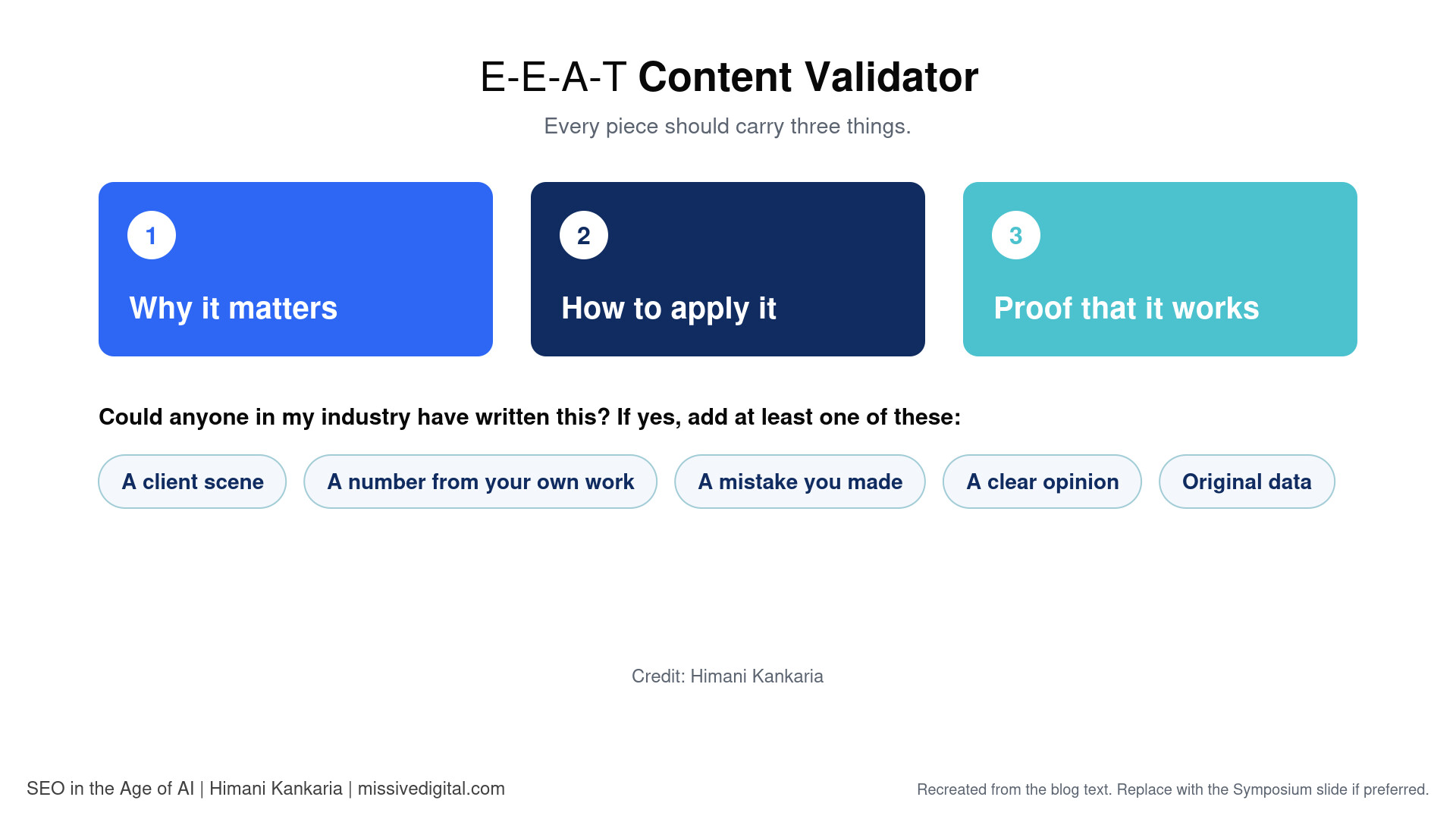
Ask one question of every draft: could anyone in my industry have written this? If the answer is yes, add at least one of these:
- A client scene: the moment a client asked a question or reacted to a result
- A number from your own work: traffic, leads, time saved, or anything you measured
- A mistake you made: and what you changed afterward
- A clear opinion: where you disagree with common advice, and why
- Original data: something you counted, surveyed, or tested yourself
This is the same thinking behind the E-E-A-T content validator I use for every piece: each one should carry why it matters, how to apply it, and proof that it works. We run every LinkedIn post we write for clients, and every deliverable in our content writing services through our Content QA Checklist with exactly these checks. I have also written about creating people-first content for Search Engine Journal.
Keep your comments human too
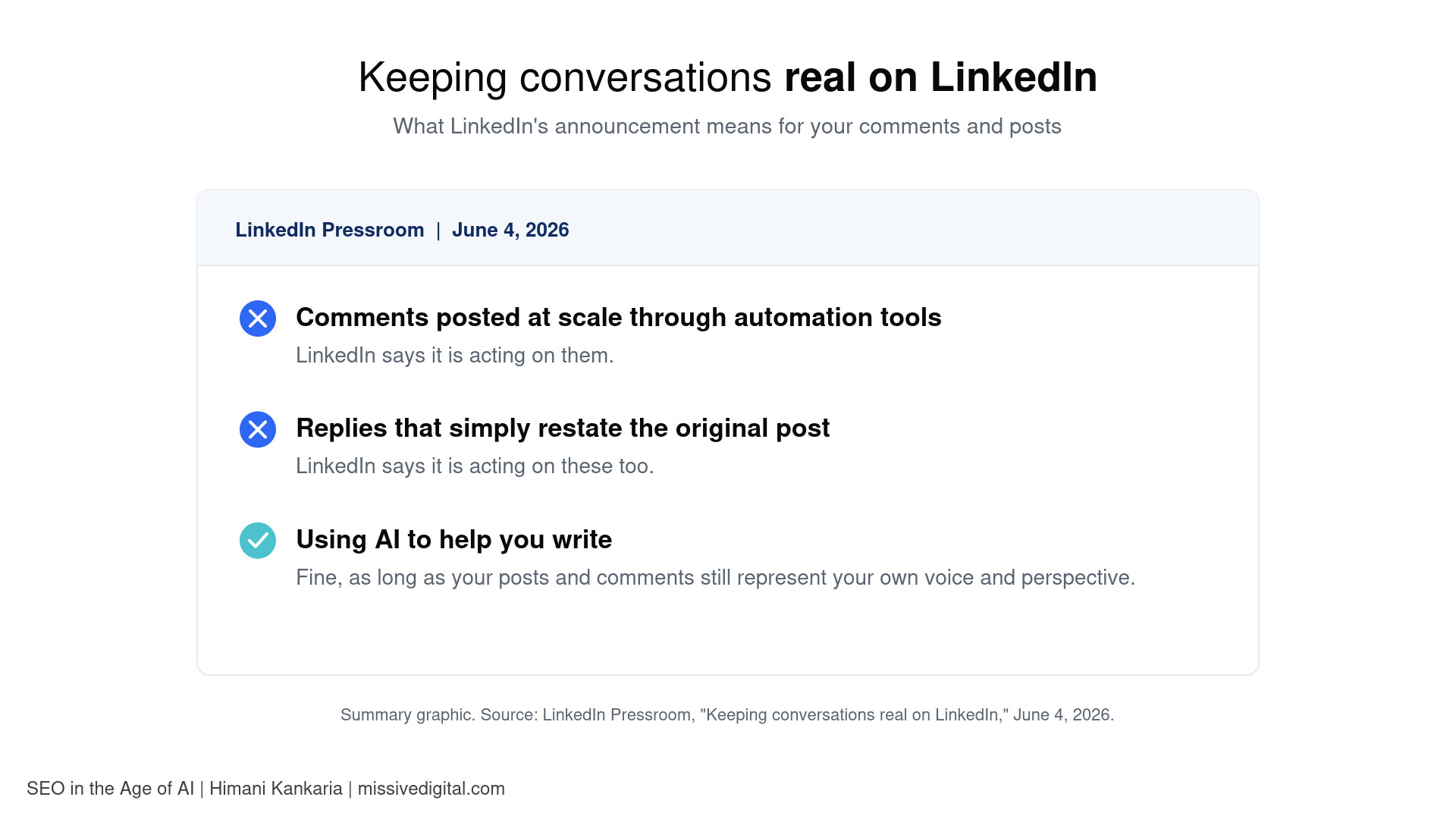
LinkedIn has said it is acting on comments posted at scale through automation tools, and on replies that simply restate the original post. Reply to comments on your posts yourself, and add something new: a detail, a follow-up example, or a question back. When you comment on others’ posts, share a perspective, not a compliment.
Swap engagement bait for a useful next step
LinkedIn has named prompts like “comment to agree” as engagement bait it is reducing. End posts with something useful instead: a question you genuinely want answered, a resource linked in the first comment, or an invitation to share their own experience.
| Tactic | What to do | Why it works |
|---|---|---|
| Lead with a lived moment | Open with a real client question, result, or mistake | Himani Kankaria: specific experience is the one thing a template cannot copy |
| Use AI as an editor, not an author | Draft your idea first, then tighten with AI | Laura Lorenzetti (LinkedIn): AI is fine when the voice and perspective stay yours |
| Write for one reader | Name the reader and the problem in the first two lines | Himani Kankaria: clear topic signals help the right readers find the post |
| Reply to comments yourself | Add new context instead of restating the post | Laura Lorenzetti (LinkedIn): automated and repetitive replies are being actioned |
| End with a real question | Ask something you want to learn from readers | LinkedIn Pressroom: engagement bait prompts are being reduced |
Conclusion: Give LinkedIn One Clear Story to Tell About You
A sudden drop in LinkedIn reach is rarely random. Give the feed one clear story about you, and it knows who to show your posts to.
Start with your headline this week. Then hold your niche, check each post against your positioning, and put your own experience back into every piece you publish. Give it a few weeks of consistent posting before judging the results, and track who engages, not only how many.
If you want a structured way to check whether your posts and blogs carry real experience and proof, download my free E-E-A-T Content Validator Checklist. It is the same checklist I first shared at the Content Writers Symposium.
Want us to handle this for you? Our LinkedIn marketing and personal branding team builds your positioning, writes posts in your voice, and manages your LinkedIn presence. Book a 30-minute consultation to see if it is a fit.
FAQs
The most common cause in 2026 is a mismatch between your headline, your niche, and your recent posts. LinkedIn's rebuilt feed reads your profile and post history together, so off-topic posts, a vague headline, or generic AI-sounding writing can all reduce how far a post travels.
Yes. LinkedIn's engineering team has described the author's headline as part of the information the feed model reads for each post. A headline that names your topic and audience makes it easier to match your posts to relevant readers.
LinkedIn says posts that appear AI-generated and lack a clear perspective are less likely to be shown beyond your immediate network. Using AI to help you write is allowed, as long as the post reflects your own voice and point of view.
Two or three closely related topics work well for most professionals. That is enough variety to stay interesting and narrow enough for your post history to build a clear expertise signal.
360Brew is a LinkedIn research model described in a 2025 paper. The system LinkedIn has publicly confirmed for the live feed is LLM-based retrieval combined with a ranking model called the Generative Recommender.
LinkedIn said in March 2026 that it is reducing engagement bait, including prompts that ask people to comment to agree. Posts built mainly to trigger comments may get less distribution than posts that start real discussion.
There is no official timeline. In my experience, give aligned, consistent posting a few weeks before judging results, and watch whether the right audience is engaging, not only the totals.